
फ़ोन से टीवी पर मीडिया फ़ाइलें कैसे स्ट्रीम करें
साथ 1टीपी1टी, आप आसानी से स्ट्रीम कर सकते हैं फ़ोटो, वीडियो और संगीत आपके फ़ोन से स्मार्ट टीवी का उपयोग करते हुए स्ट्रीमिंग. शुरू करने के लिए इन सरल चरणों का पालन करें:
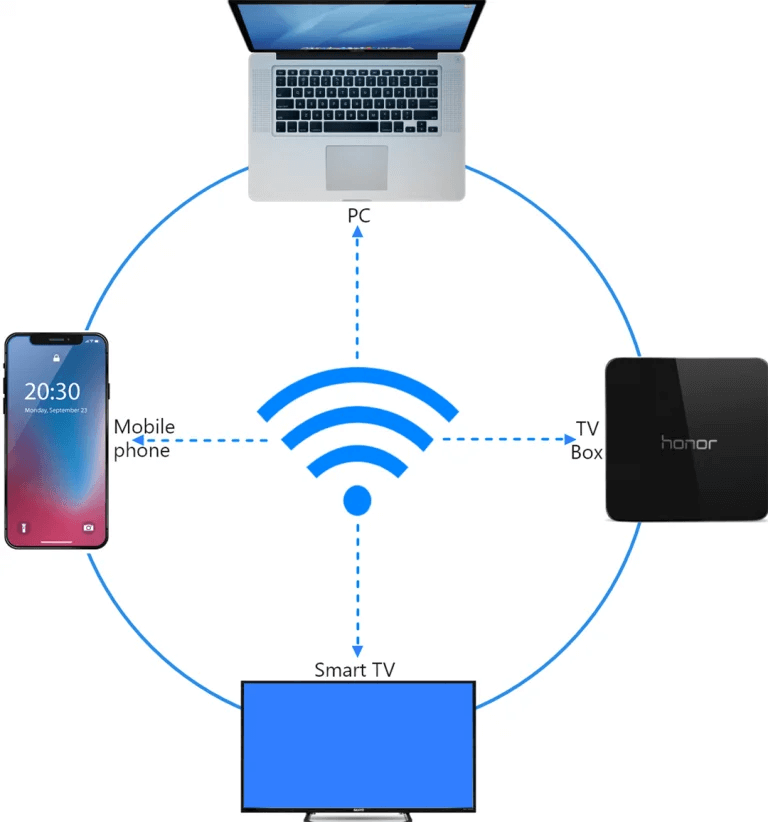
1. एक ही वाई-फाई नेटवर्क से कनेक्ट करें
सुनिश्चित करें कि आपका फ़ोन और टीवी से जुड़े हुए हैं एक ही वाई-फाई नेटवर्क.
💡 बख्शीश: A 5जी वाई-फाई सर्वोत्तम प्रदर्शन के लिए कनेक्शन की अनुशंसा की जाती है।.
यदि वाई-फाई उपलब्ध नहीं है, तो आप इसका उपयोग भी कर सकते हैं। व्यक्तिगत हॉटस्पोट.
2. अपना टीवी ढूंढें और कनेक्ट करें
1) इंस्टॉल करें और खोलें 1टीपी1टी अनुप्रयोग।.
📥 टीवी संस्करण: Google Play Store से डाउनलोड करें
📱 iOS संस्करण: ऐप स्टोर से डाउनलोड करें
📱 एंड्रॉइड संस्करण: Google Play से डाउनलोड करें
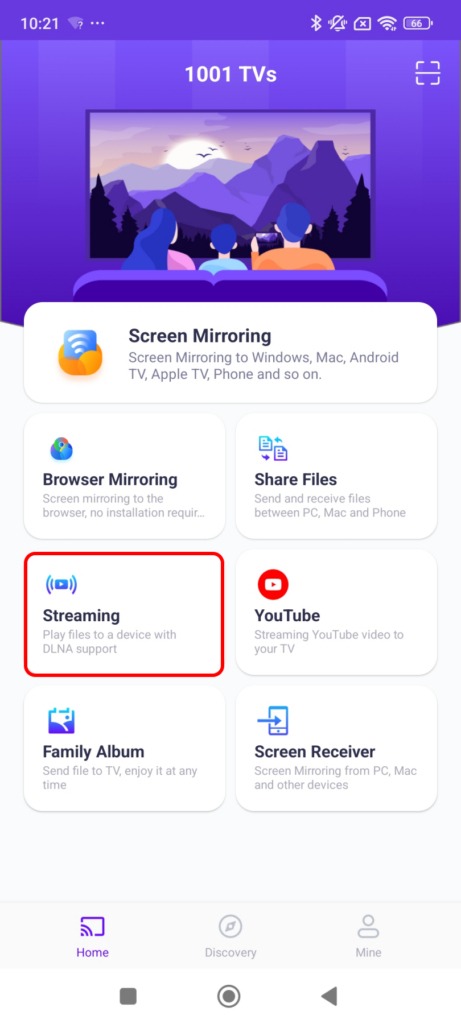
2) टैप करें “स्ट्रीमिंग” और टैप करें रिफ्रेश आइकन उपलब्ध उपकरणों की खोज करने के लिए।.
अधिकांश स्मार्ट टीवी और टीवी बॉक्स सहायता स्ट्रीमिंग, इसलिए, एक ही नेटवर्क से कनेक्ट होने पर वे स्वचालित रूप से दिखाई देने चाहिए।.
3) सूची में से अपना टीवी चुनें।.
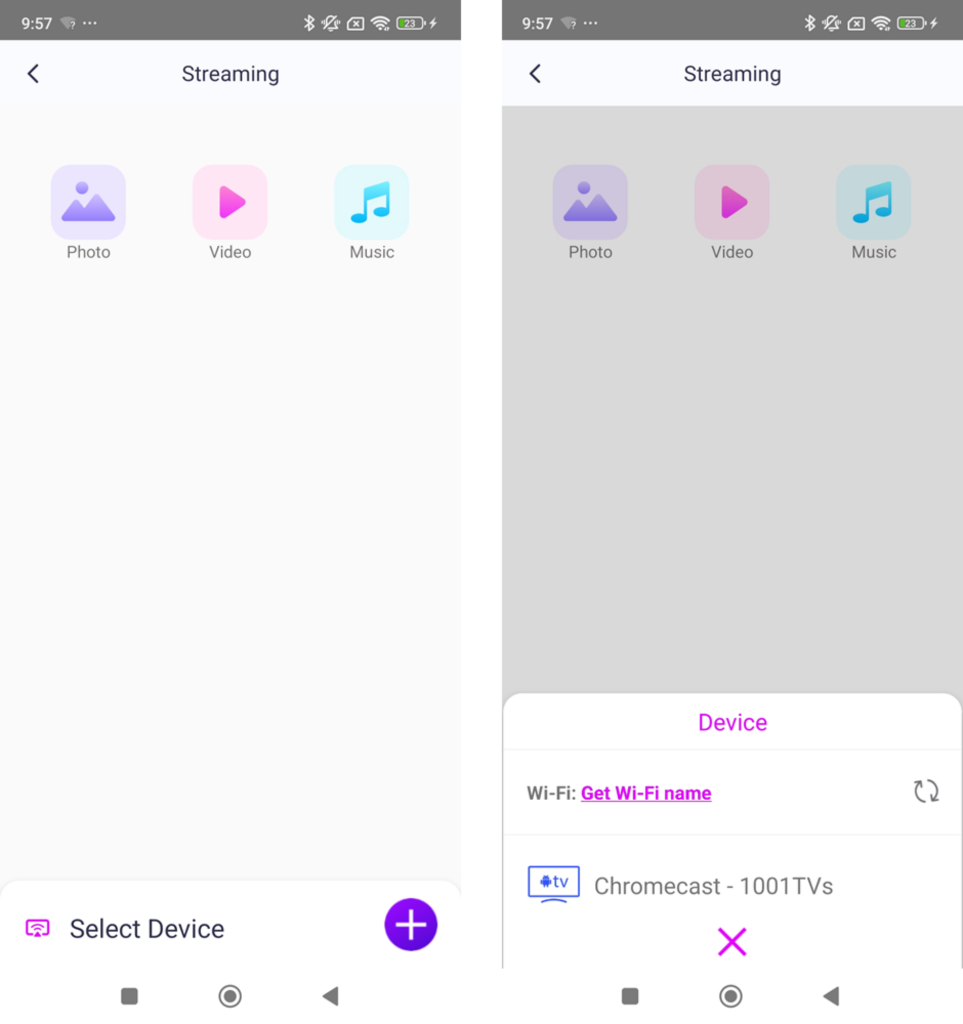
4) आप क्या स्ट्रीम करना चाहते हैं, उसे चुनें:
· तस्वीरें: नल खेल स्लाइड शो शुरू करने के लिए। आप इसे समायोजित कर सकते हैं। स्लाइडशो की गति सेटिंग्स में।.
· वीडियो: चलाने के लिए एक या एक से अधिक वीडियो चुनें अनुक्रम ध्वनि के साथ।.
· संगीत: अपने पसंदीदा गाने सीधे अपने टीवी पर चलाएं।.
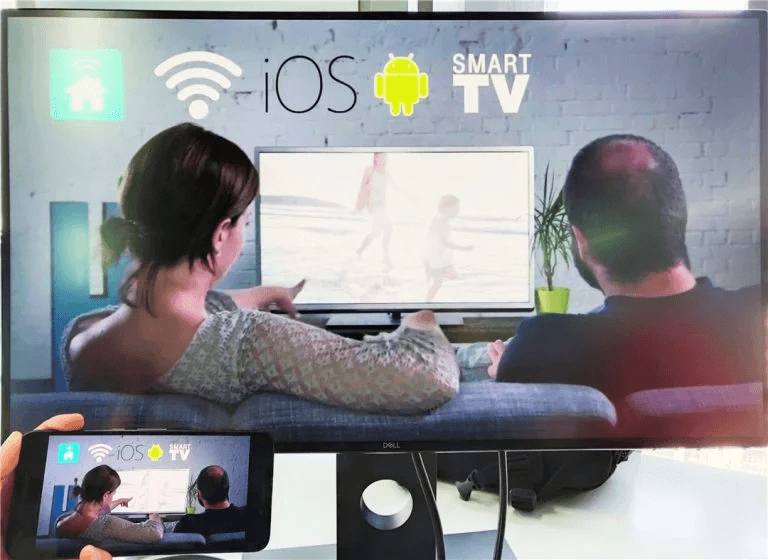
3. अपने पीसी पर विंडोज मीडिया प्लेयर में मीडिया स्ट्रीम करें
क्या आप अपने डिवाइस पर स्ट्रीमिंग करना चाहते हैं? विंडोज पीसी इसके बजाय? आप उपयोग कर सकते हैं विंडोज़ मीडिया प्लेयर अपने स्ट्रीमिंग लक्ष्य के रूप में:
1) खुला विंडोज़ मीडिया प्लेयर अपने पर पीसी.
2) क्लिक करें “"धारा"” और सक्षम करें “मेरे प्लेयर को रिमोट कंट्रोल करने की अनुमति दें”.
· यदि आप इसे पहली बार उपयोग कर रहे हैं, तो आपको कुछ अतिरिक्त जानकारी की आवश्यकता हो सकती है। मीडिया स्ट्रीमिंग चालू करें.
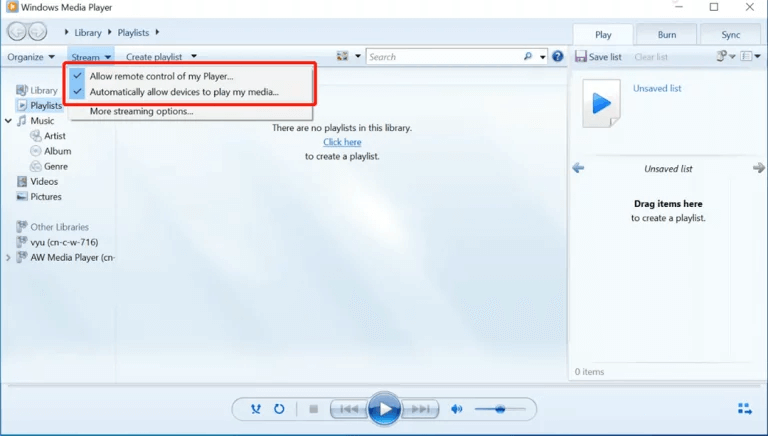
3) में 1टीपी1टी, रीफ़्रेश करें डिवाइस सूची और अपना चयन करें पीसी.
4) अपनी मीडिया फ़ाइलों को अपने कंप्यूटर पर स्ट्रीम करना शुरू करें!
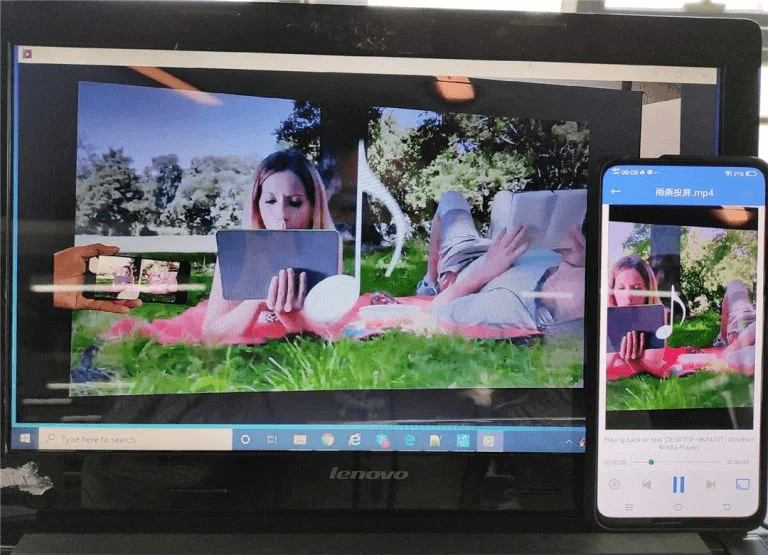
अब आप अपने मीडिया का आनंद लेने के लिए पूरी तरह तैयार हैं। बड़ी स्क्रीन साथ 1टीपी1टी! 🎬📺🎵
1001 TVs अभी डाउनलोड करें
📥 टीवी संस्करण: Google Play Store से डाउनलोड करें
📥 पीसी संस्करण: विंडोज़ के लिए डाउनलोड करें
📱 iOS संस्करण: ऐप स्टोर से डाउनलोड करें
📱 एंड्रॉइड संस्करण: Google Play से डाउनलोड करें
इसे अभी आजमाएं और आनंद लें। निर्बाध मीडिया स्ट्रीमिंग! 🚀