Comment regarder la NFL à la télévision : le guide complet
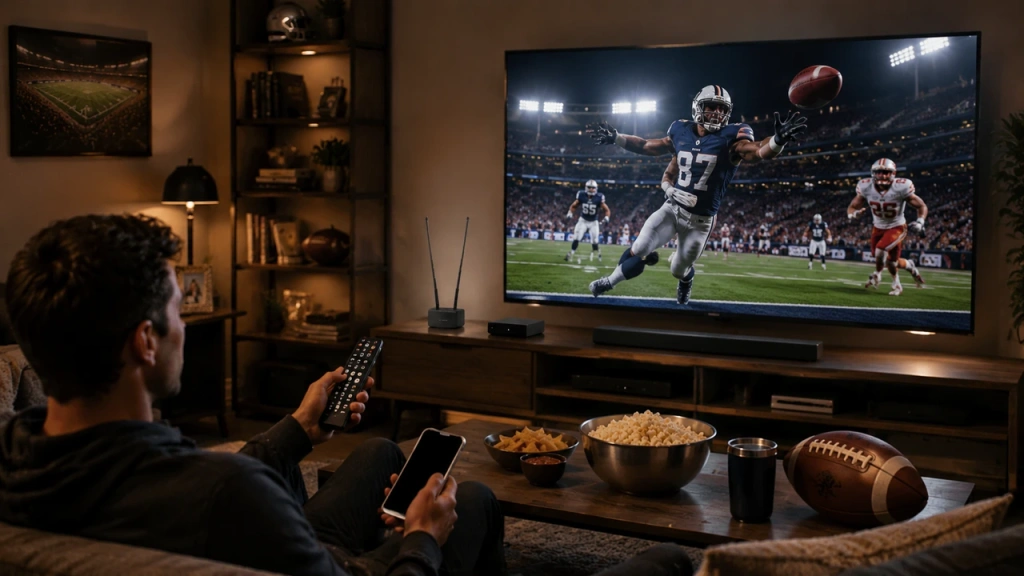
Pas besoin d'abonnement au câble pour regarder les matchs de la NFL sur votre téléviseur. Pour chaque match de cette saison, trois questions suffisent : où le match est-il diffusé ? Est-il disponible dans votre zone de diffusion ? Et comment allez-vous diffuser cette source sur votre téléviseur ?
Les matchs locaux du dimanche après-midi sont généralement diffusés par CBS ou FOX et peuvent être regardés gratuitement en clair. Les matchs nationaux et ceux diffusés en prime time sont répartis entre NBC/Peacock, ESPN/ABC, Prime Video, Netflix et d'autres services désignés, tandis que les matchs du dimanche après-midi hors marché nécessitent l'abonnement « NFL Sunday Ticket ».
La saison 2026 débute le mercredi 9 septembre avec le match opposant les Seahawks aux Patriots à domicile. C'est donc le moment idéal pour mettre en place votre installation. Voici toutes les options pour suivre les matchs, leur coût respectif et ce qu'il faut faire avant le coup d'envoi de la saison.
La façon la plus simple de regarder la NFL à la télévision
Considérez chaque jeu comme un parcours comportant trois points de contrôle :
- Où est diffusé le match ? Les matchs du dimanche sont diffusés sur CBS, FOX et NBC ; ceux diffusés en prime time sont répartis entre NBC, ESPN/ABC et Prime Video ; quelques matchs exceptionnels sont diffusés sur Peacock, Netflix ou NFL Network.
- Est-ce un match qui se joue un dimanche après-midi dans votre région ? Les matchs du dimanche disputés localement sont diffusés gratuitement sur vos chaînes CBS et FOX locales. Les matchs du dimanche hors marché — c'est-à-dire ceux opposant d'autres équipes — ne sont disponibles que via NFL Sunday Ticket.
- Comment cette source est-elle transmise à votre téléviseur ? Via une antenne, une application TV, un appareil de streaming ou via la fonction de diffusion depuis votre téléphone.
Voilà tout le modèle. Pour déterminer où se trouve un jeu donné, utilisez cette matrice de consultation :
| Si le match est… | Diffusé généralement le | Ce dont vous avez besoin |
| Dimanche après-midi, ici | CBS / FOX | Antenna, un service de télévision en direct, ou le service de streaming concerné |
| Dimanche après-midi hors marché | Sunday Ticket | NFL Sunday Ticket |
| Football du dimanche soir | NBC / Peacock | Accès à NBC ou à Peacock |
| Le football du jeudi soir | Prime Video | Prime Video |
| Football du lundi soir | ESPN / ABC, selon le match | Abonnement à ESPN ou accès à la télévision requis |
| Une sélection de jeux exceptionnels | Netflix / autre service attribué | Le service concerné |
La matrice reflète la tendance habituelle : pour une semaine donnée, le calendrier officiel de la NFL indique la chaîne de diffusion et l'heure de chaque match.
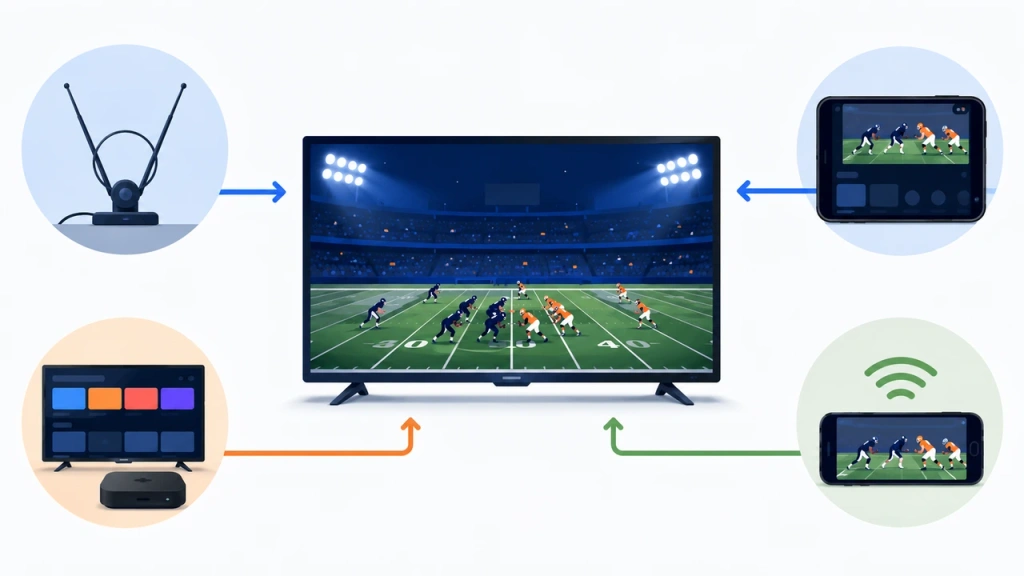
Qu'est-ce qui vous amène ici ? Accédez directement au guide qui vous convient :
- Vous souhaitez diffuser un jeu depuis votre téléphone sur votre téléviseur ? Consultez le Guide pour suivre le Super Bowl en simultané
- Vous ne savez pas quelle option vous convient le mieux ? → Continuez à lire, puis utilisez Quelle option vous convient le mieux ? ci-dessous
Une fois que vous savez sur quelle chaîne le match est diffusé, l'étape suivante consiste à capter cette chaîne ou ce service sur votre téléviseur. Voici comment procéder.
Comment regarder : toutes les options expliquées
Antenne de diffusion hertzienne
La façon la moins chère de regarder la NFL est aussi la plus ancienne : branchez une antenne numérique sur le tuner de votre téléviseur, lancez la recherche des chaînes, et vous recevrez gratuitement les chaînes locales CBS, FOX et NBC — pour toujours. Cela vous permettra de suivre les matchs de votre équipe locale le dimanche après-midi, ainsi que la plupart des matchs diffusés à l'échelle nationale sur les trois grandes chaînes. Pas d’abonnement ni d’application à ouvrir.
Les compromis sont réels mais simples : il faut être suffisamment proche des antennes-relais pour bénéficier d'un signal clair (placer l'antenne près d'une fenêtre aide généralement), et les programmes diffusés sur ESPN, Prime Video, Peacock ou Netflix ne seront tout simplement pas captés par une antenne.
Diffusion en direct à la télévision ou par câble
La télévision traditionnelle par câble ou par satellite est la solution la plus complète : une seule facture vous donne accès à CBS, FOX, NBC, ABC, ESPN et, souvent, à NFL Network, qui diffuse la quasi-totalité des matchs de la NFL.
Les services de streaming TV en direct offrent la même chose aux personnes qui ne souhaitent pas souscrire à un abonnement au câble. Des services comme YouTube TV et Hulu + Live TV regroupent les mêmes chaînes — y compris vos chaînes locales CBS, FOX et NBC —, ce qui vous permet de profiter de toute la saison grâce à un seul abonnement accessible depuis l'application de votre téléviseur.
C'est l'option “ comme le câble, mais sans opérateur ”, et son prix est à l'avenant : attendez-vous à un abonnement mensuel d'un montant moyen à élevé. Une mise en garde toutefois : la disponibilité des chaînes locales varie selon le code postal ; assurez-vous donc que votre zone est couverte avant de vous engager.
Services de streaming individuels
Si vous ne souhaitez pas souscrire à un abonnement complet de type « câble », vous pouvez acheter uniquement les créneaux horaires de la NFL que vous regardez réellement. Les matchs de chaque chaîne sont diffusés en direct sur leur propre application, et en 2026, l'offre se présente comme suit :
| Service | Ce qu'il contient |
| Paon | « Sunday Night Football », le match d'ouverture de la NFL et certains matchs (dont un match du samedi de la 17e semaine) |
| Paramount + | La NFL sur CBS |
| FOX One | Les matchs FOX de votre région |
| Prime Video | « Thursday Night Football », en exclusivité |
| Netflix | Les matchs qui lui ont été attribués pour 2026 (le double programme de Noël, le match international de Melbourne, la veille de Thanksgiving et un match du samedi de la 18e semaine) |
| Applications ESPN | Football du lundi soir |
Chacun d'entre eux propose un abonnement distinct et abordable, et la plupart offrent des essais gratuits — ce qui est pratique si vous ne souhaitez disposer que d'une ou deux fenêtres par an. Le hic : pour couvrir l'intégralité du calendrier de votre équipe, vous devrez peut-être vous abonner à plusieurs d'entre eux.
NFL Sunday Ticket
Sunday Ticket est le seul moyen de regarder tous les matchs du dimanche après-midi diffusés hors de votre zone de couverture, c'est-à-dire ceux que vos chaînes locales ne retransmettent pas. Il s'agit d'une option disponible dans YouTube TV ou sous forme d'abonnement autonome sur les chaînes Primetime de YouTube ; vous n'avez donc pas besoin d'un abonnement au câble pour y accéder.
C'est également la solution la plus coûteuse pour accéder aux matchs de la NFL, et les tarifs varient chaque saison ; pensez donc à consulter le site officiel avant de vous engager. Cette option n'est intéressante que si votre équipe préférée joue en dehors de votre zone de diffusion ou si vous souhaitez suivre plusieurs équipes chaque dimanche. Si vous regardez principalement votre équipe locale et les matchs diffusés à l'échelle nationale, vous pouvez tout simplement y renoncer.
NFL+
NFL+ est l'abonnement à bas prix proposé par la ligue elle-même, et il est utile de savoir ce qu'il est — et ce qu'il n'est pas. Il permet de regarder en direct les matchs de votre équipe locale et les rencontres phares, mais uniquement sur téléphone et tablette — une restriction confirmée sur le site officiel Page NFL+, qui propose également NFL RedZone et des rediffusions intégrales dans la formule Premium.
Sur un téléviseur, NFL+ sert surtout à regarder des rediffusions et RedZone, plutôt qu'à diffuser des matchs en direct sur grand écran.
La restriction est claire : les services NFL+ et NFL+ Premium prennent en charge la diffusion sur écran externe pour certains contenus, mais les matchs locaux en direct, ainsi que les matchs de la saison régulière et des séries éliminatoires diffusés en prime time, ne sont disponibles que sur un téléphone ou une tablette et ne peuvent pas être diffusés sur un téléviseur, conformément à Assistance NFL. Aucune application de mise en miroir ne permet d'afficher ces matchs en direct sur votre téléviseur.
Quelle option vous convient le mieux ?
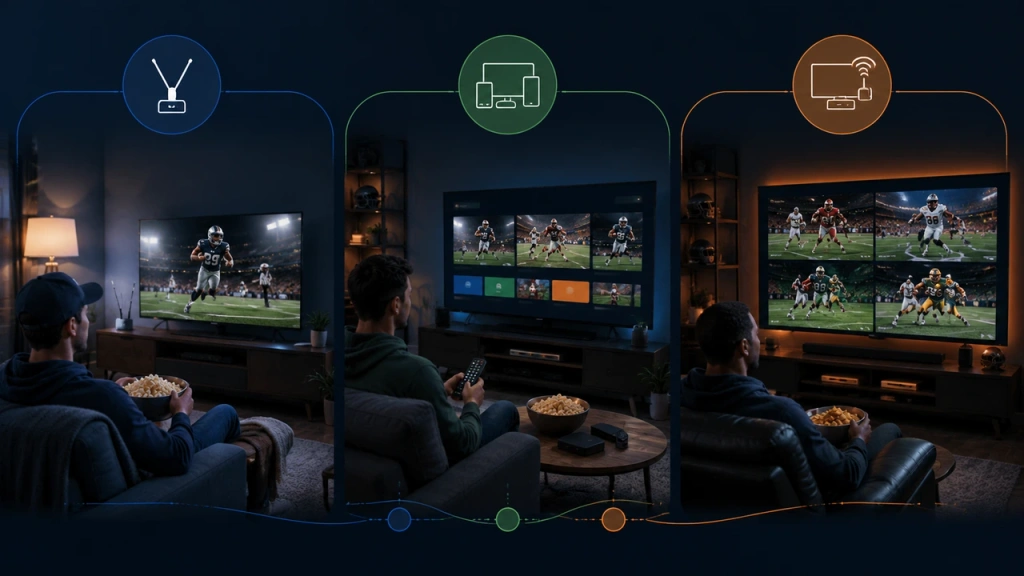
Le tableau ci-dessus présente les besoins propres à chaque type de match ; cette section explique comment combiner ces éléments pour créer une formule qui vous convienne. Commencez par vérifier où les matchs de votre équipe seront diffusés cette saison, plutôt que d’opter d’emblée pour le bouquet le plus complet : la plupart des supporters n’ont besoin que des chaînes locales.
- Ne suivez que votre équipe locale : Une antenne HD devrait suffire pour suivre les matchs du dimanche. Abonnez-vous à ESPN si votre équipe joue lors du « Monday Night Football ».
- Vous voulez suivre tous les matchs, ou votre équipe n'est pas diffusée dans votre région : Combiner un service de télévision en direct (ou par câble) pour les matchs locaux avec « Sunday Ticket » pour suivre les matchs du dimanche après-midi hors de votre zone de diffusion.
- Sans abonnement au câble, avec un petit budget : l'antenne, ainsi que les services individuels correspondant aux programmes que vous regardez — Peacock le dimanche soir, Prime Video le jeudi, et ainsi de suite.
- Je regarde principalement sur un téléphone ou une tablette : NFL+ vous permet de suivre vos matchs locaux et ceux diffusés en prime time sur mobile, avec RedZone dans la formule Premium.
Pour suivre une saison entière sans abonnement au câble, il faut presque toujours recourir à une combinaison de solutions : par exemple, une antenne pour les matchs locaux, Peacock et Prime Video pour les diffusions nationales, et Sunday Ticket uniquement si vous souhaitez suivre des matchs hors de votre zone de diffusion. Il n’y a pas de réponse unique ; tout dépend du nombre d’équipes que vous suivez et du fait que votre équipe fasse partie ou non de votre zone de diffusion.
Ce qu'il faut préparer avant le coup d'envoi
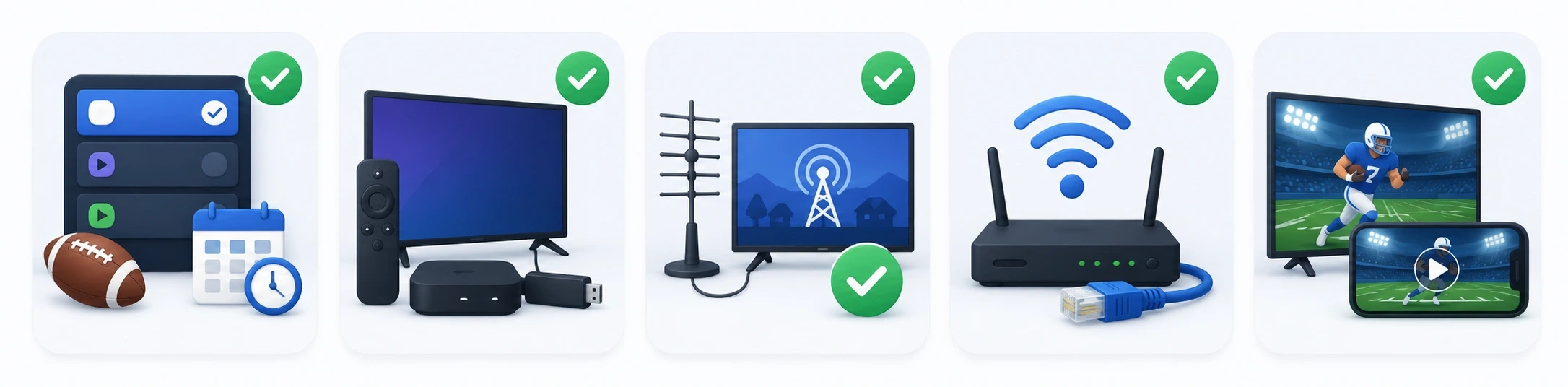
Faites-le avant le début de la saison, le mercredi 9 septembre :
- Choisissez dès maintenant votre abonnement. Si vous attendez le jour du match, vous risquez de rater le coup d'envoi — et vous voulez avoir le temps de tester d'abord les essais gratuits.
- Configurez votre téléviseur. Installez l'application sur votre Smart TV ou utilisez un appareil de streaming (Roku, Fire TV, Chromecast, Apple TV). La plupart des services proposent des applications pour les principales plateformes TV.
- Vérifiez vos chaînes locales. Si vous utilisez une antenne, effectuez une recherche des chaînes et vérifiez la qualité du signal dans la pièce où se trouve votre téléviseur. Si vous utilisez un service de télévision en direct, assurez-vous qu'il propose vos chaînes locales CBS, FOX et NBC.
- Vérifiez votre connexion Internet. Le streaming nécessite une connexion stable et suffisamment rapide. Une connexion Ethernet filaire ou un signal Wi-Fi puissant à proximité du téléviseur permettra d'éviter les interruptions de lecture, en particulier en 4K.
- Faites un test avant le coup d'envoi. Profitez des essais gratuits au cours de la semaine précédant la première semaine pour vérifier que le jeu que vous souhaitez jouer s'affiche bien sur votre installation.
Le match d'ouverture de la saison 2026 opposera les Seahawks aux Patriots le mercredi 9 septembre à 20 h 20 (heure de l'Est), diffusé sur NBC et Peacock — un bon test pour l'ensemble de votre système.
Que faire si le jeu ne fonctionne pas sur votre téléviseur ?
Avant de vous lancer dans des recherches approfondies, effectuez ces vérifications préliminaires : la plupart des problèmes du type “ Je n'arrive pas à regarder le match ” relèvent de l'une d'entre elles :
- Vérifiez si ce service est réellement accessible pour vous. Un match du dimanche diffusé hors de la zone de diffusion ne s'affichera pas sans « Sunday Ticket ». C'est tout à fait normal, ce n'est pas un bug.
- Ouvrez l'application appropriée. Les matchs de CBS sont diffusés en streaming sur Paramount+, ceux de FOX sur FOX One, ceux de NBC sur Peacock, ceux du jeudi sur Prime Video et ceux du lundi sur ESPN. Les matchs sont accessibles via l'application de leur chaîne respective, et non via une application unique.
- Faites attention aux coupures de courant ou région restrictions. Si vous êtes en déplacement ou si vous utilisez un VPN, il se peut qu'un jeu soit soumis à des restrictions géographiques.
- Connectez-vous et mettez à jour. Assurez-vous d'être connecté au compte associé à l'abonnement et que l'application est à jour.
- Effectuez une nouvelle recherche des chaînes avec votre antenne. Si les chaînes locales ne s'affichent plus, placez-le près d'une fenêtre et relancez la recherche des chaînes.
Si le jeu ne fonctionne toujours pas, la plupart des problèmes restants peuvent être résolus grâce à une solution spécifique à votre appareil et à votre application : redémarrez l'application et votre appareil de streaming, puis consultez le centre d'aide du service.
Votre jeu est sur votre téléphone — Voici comment le diffuser sur votre téléviseur
Certains contenus de la NFL sont plus faciles d'accès via une application mobile, mais c'est tout de même sur votre téléviseur que vous devriez les regarder. Si vous utilisez un service prenant en charge la diffusion ou la duplication d'écran, privilégiez d'abord son option native pour téléviseur ou de diffusion : la plupart des téléviseurs et appareils de streaming récents prennent en charge AirPlay, Chromecast ou la duplication d'écran depuis un téléphone.
Si le service prend en charge le partage d'écran mais que votre configuration « téléphone + téléviseur » ne dispose pas d'une fonctionnalité native, une application de duplication d'écran peut établir la connexion lorsque les deux appareils la prennent en charge.
1001 TVs est l'une de ces applications — Cliquez ici pour télécharger.
Une chose à garder à l'esprit : 1001 TVs ne fait que refléter ce qui est déjà diffusé sur votre téléphone — il ne remplace pas votre abonnement ni votre accès à la diffusion, et il ne peut pas contourner les restrictions propres à un service.
Les matchs en direct locaux et en prime time de NFL+ en sont l'exemple le plus flagrant : ils sont réservés aux téléphones et aux tablettes, et l'application de la NFL précise que les matchs en direct, NFL RedZone et NFL Network ne peuvent pas être diffusés depuis un téléphone ou une tablette vers un écran externe via HDMI, Chromecast, AirPlay, Miracast ou tout autre moyen similaire.