
Accettazione automatica del mirroring TV - Senza popup
Se dovete sempre prendere il telecomando del televisore per approvare ogni richiesta di screen mirroring, la cosa può diventare fastidiosa.
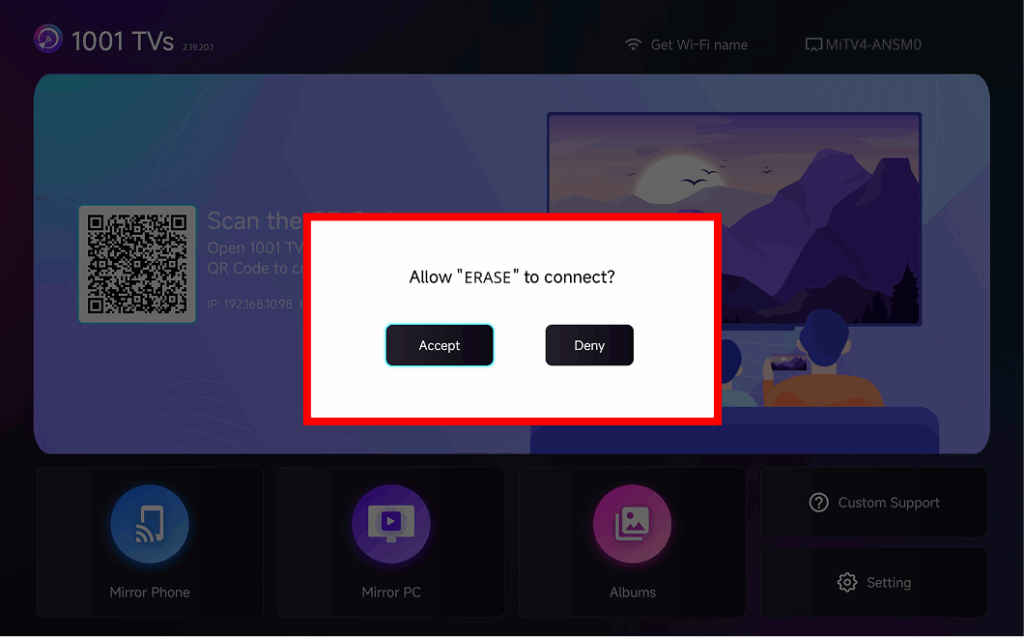
The latest version of 1001 TVs introduces Accettazione automatica del mirroring – seamless casting without any popups.
Guida passo passo
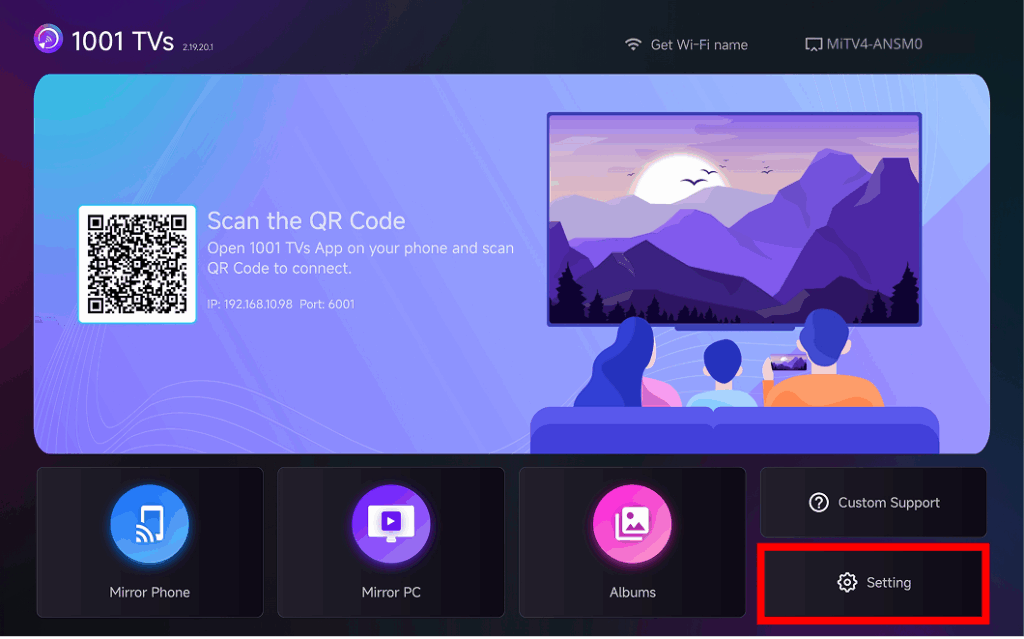
❶ Andare nell'angolo in basso a destra della schermata iniziale del TV e selezionare Impostazione
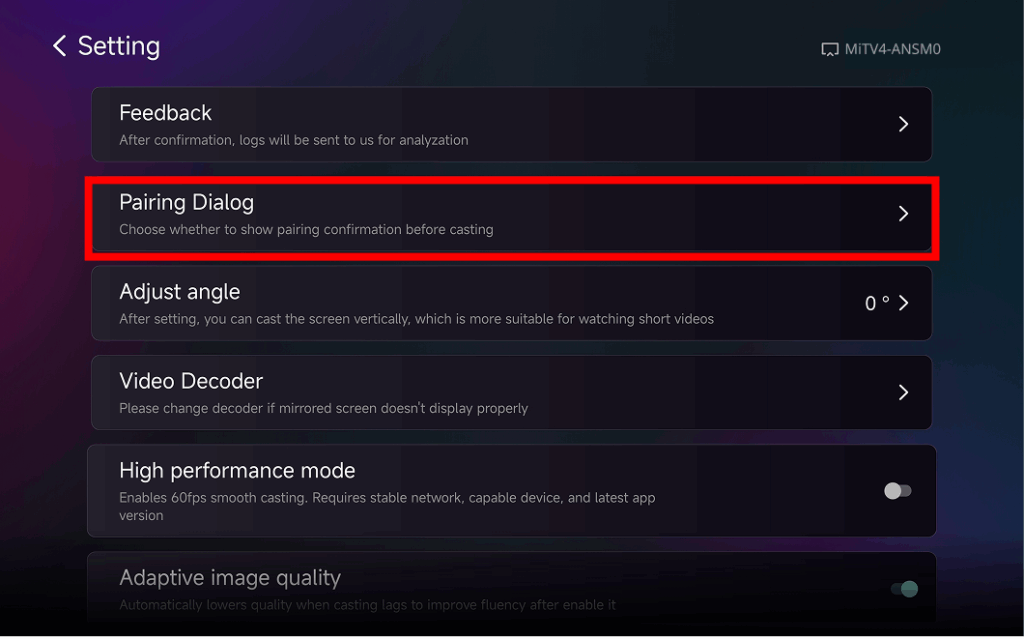
❷ Trova e tocca “Finestra di dialogo per l'accoppiamento"
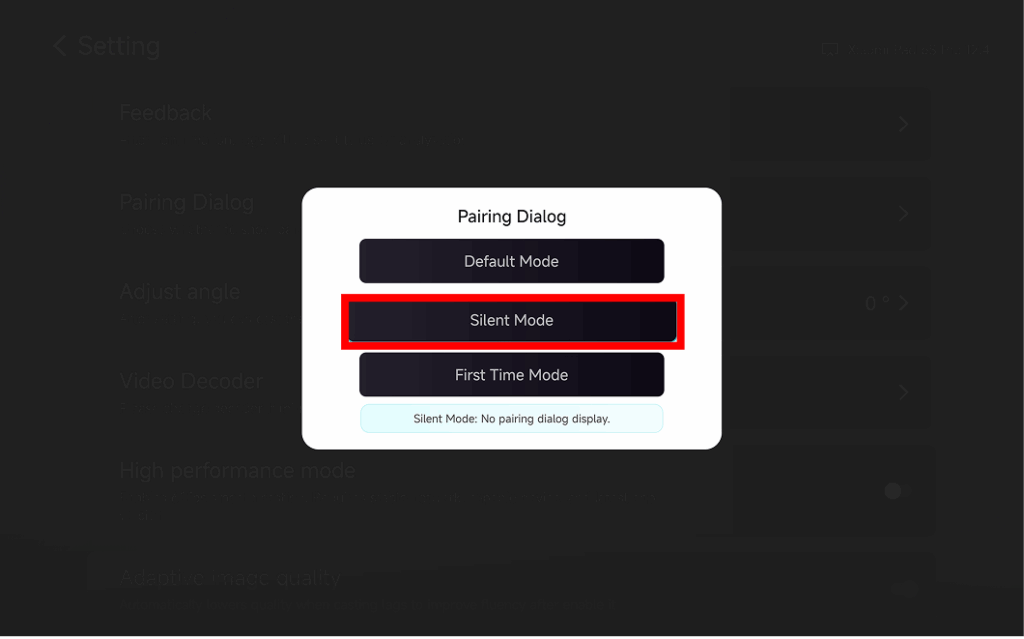
❸ Choose Your Preferred Mode
⭐ Modalità predefinita
A popup appears every time before casting.
⭐ Modalità silenziosa
No popup appears – your TV automatically accepts all mirroring requests.
⭐ Modalità "prima volta
A popup appears only for the first connection. After approval, all future requests are auto-accepted.
Perché utilizzare il mirroring ad accettazione automatica?
- Perfect for home, classrooms, stores, and digital signage.
- Stop searching for the remote – connect instantly.
- Instant screen mirroring from your phone, tablet, or PC without interruption.