
फ़ोन से टीवी पर होम स्लाइडशो/फ़ैमिली एल्बम कैसे शेयर करें
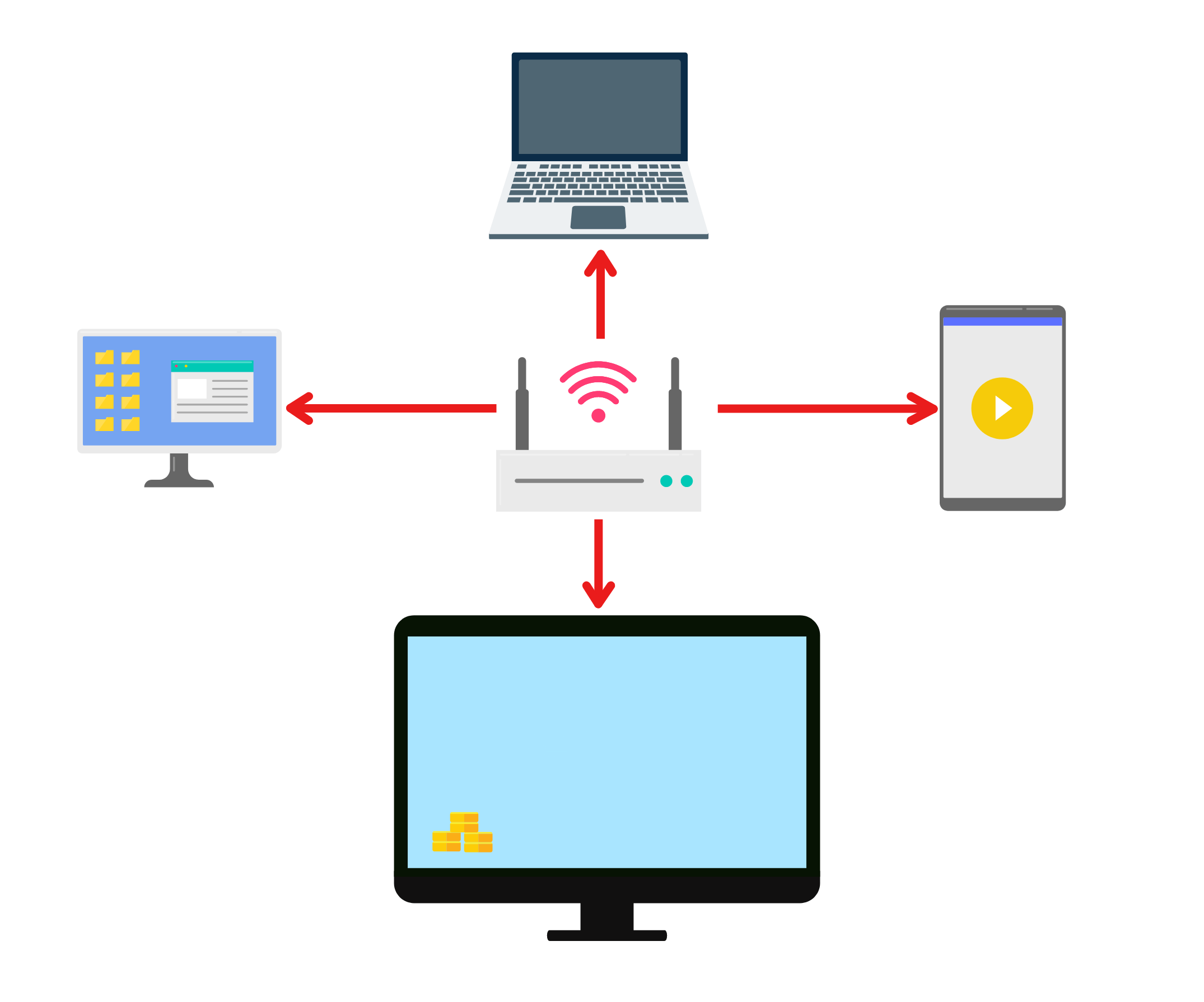
1.एक ही वाई-फाई से कनेक्ट करें:
सुनिश्चित करें कि आपका फ़ोन और iPad दोनों एक ही वाई-फ़ाई नेटवर्क से कनेक्ट हों। (सर्वोत्तम प्रदर्शन के लिए 5G बैंड वाई-फ़ाई कनेक्शन की अनुशंसा की जाती है।)
2. अपने फ़ोन और टीवी पर 1001 TVs इंस्टॉल करें
आप ऐप को ऐप स्टोर या गूगल प्ले से डाउनलोड कर सकते हैं।
📥 टीवी संस्करण: Google Play Store से डाउनलोड करें
📱 iOS संस्करण: ऐप स्टोर से डाउनलोड करें
📱 एंड्रॉइड संस्करण: Google Play से डाउनलोड करें
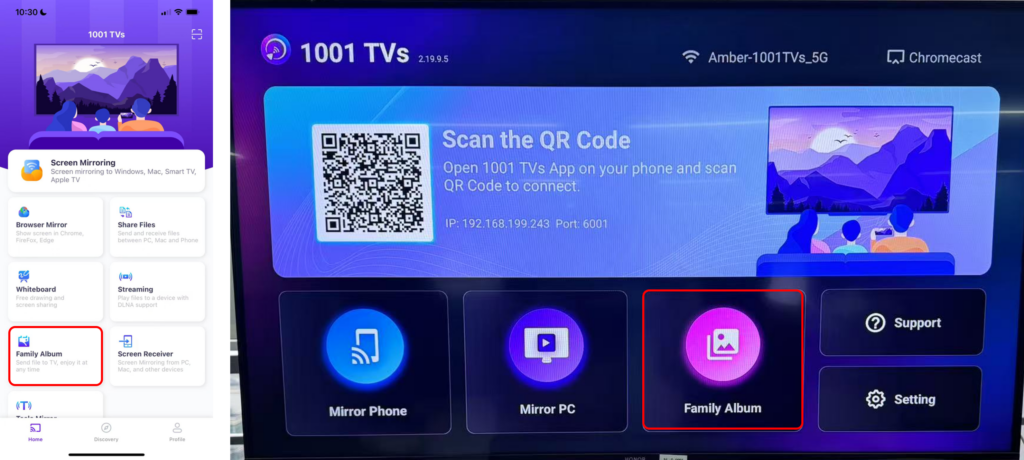
3. दोनों डिवाइस पर 1001 TVs लॉन्च करें और डिजिटल एल्बम खोलें।
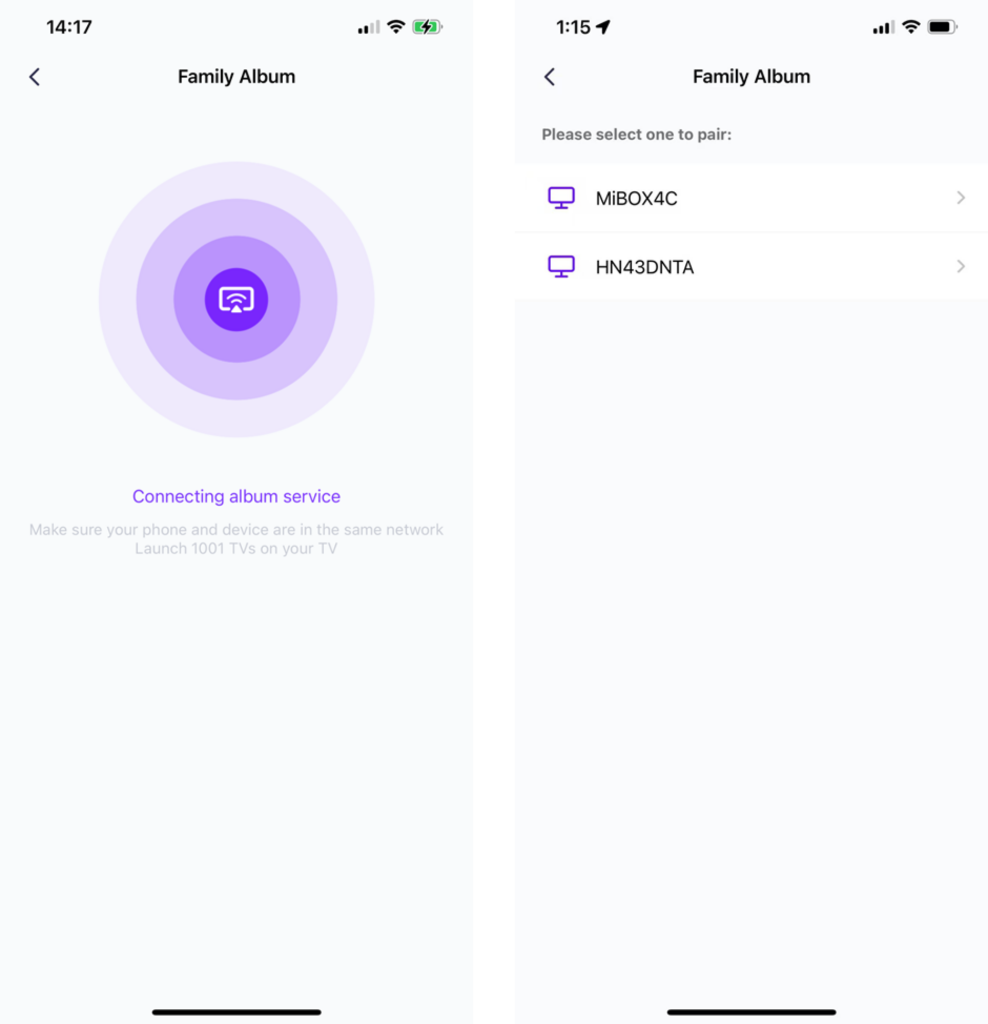
4. अपने फोन को टीवी से कनेक्ट करें।.
5. "फ़ाइलें भेजें" पर टैप करें और अपनी फ़ाइलों में से उन फ़ोटो का चयन करें जिन्हें आप साझा करना चाहते हैं। फ़ोन.
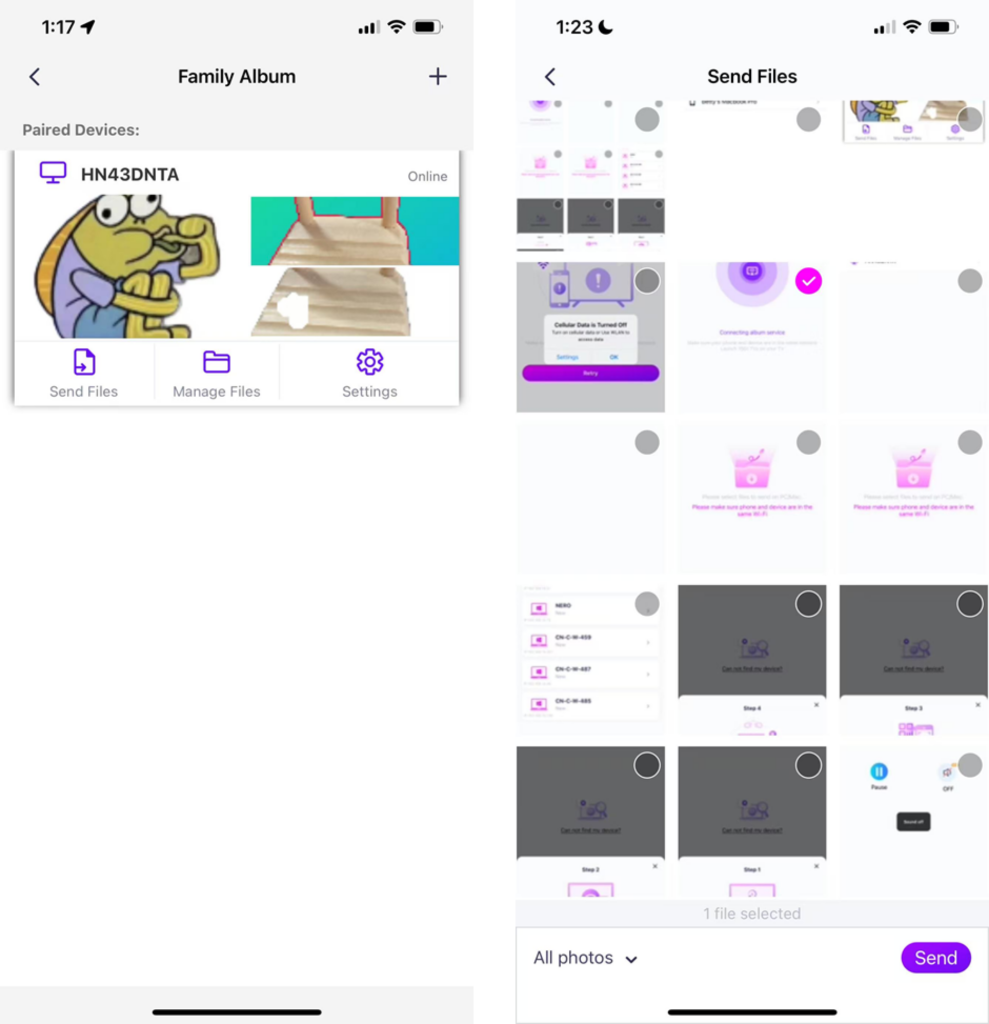
· आप प्लेबैक की अवधि 2 सेकंड, 3 सेकंड या 60 सेकंड तक सेट कर सकते हैं, और साथ ही प्लेबैक सीक्वेंस को आरोही, अवरोही या यादृच्छिक क्रम में भी सेट कर सकते हैं।.
· आप पहले से कास्ट की गई किसी भी फोटो और वीडियो को आसानी से डिलीट कर सकते हैं।.
· यदि आप किसी नए डिवाइस से कनेक्ट कर रहे हैं, तो पेयर करने के लिए कृपया "+" पर टैप करें।.
· ऑफलाइन डिवाइसों के लिए, पुनः कनेक्ट होने पर प्राप्त फाइलों तक पहुंचने के लिए एक स्थिर नेटवर्क कनेक्शन सुनिश्चित करें।.
6. स्लाइड शो शुरू करें
अब आप कर सकते हैं अपनी यादों को फिर से ताजा करें एक पर बड़ी स्क्रीन आसानी से! 📸📺
1001 TVs अभी डाउनलोड करें
📥 टीवी संस्करण: Google Play Store से डाउनलोड करें
📥 पीसी संस्करण: विंडोज़ के लिए डाउनलोड करें
📱 iOS संस्करण: ऐप स्टोर से डाउनलोड करें
📱 एंड्रॉइड संस्करण: Google Play से डाउनलोड करें
इसे अभी आजमाएं और अपने पारिवारिक पलों को जीवंत बनाएं! 🚀