
[Android] How to Mirror Screen from Android Phone to PC Browser (Chrome)
1.Connect Same Wi-Fi:
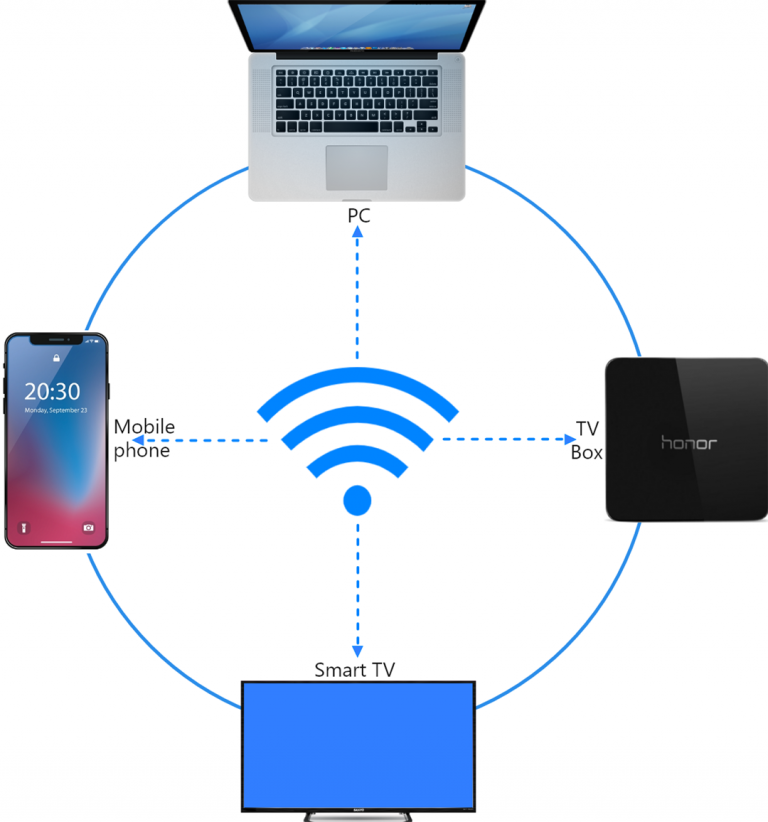
Make sure both your phone and the device you want to mirror to are connected to the same Wi-Fi network. (A 5G band Wi-Fi connection is recommended for the best performance.)
2. 1001 TVs इंस्टॉल करें और खोलें
To mirror your phone screen to a browser, all you need is the 1टीपी1टी app on your phone.
📱 एंड्रॉइड संस्करण: Google Play से डाउनलोड करें
3. स्क्रीन मिरर
नल "“ब्राउज़र मिररिंग” on the homepage. Allow the required permissions.
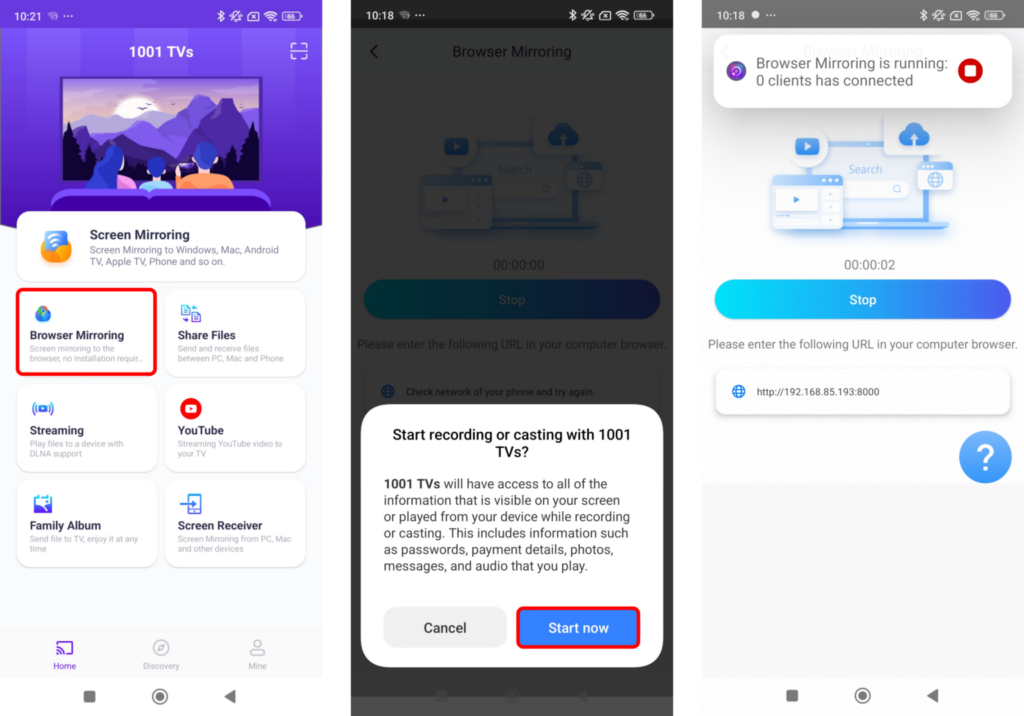
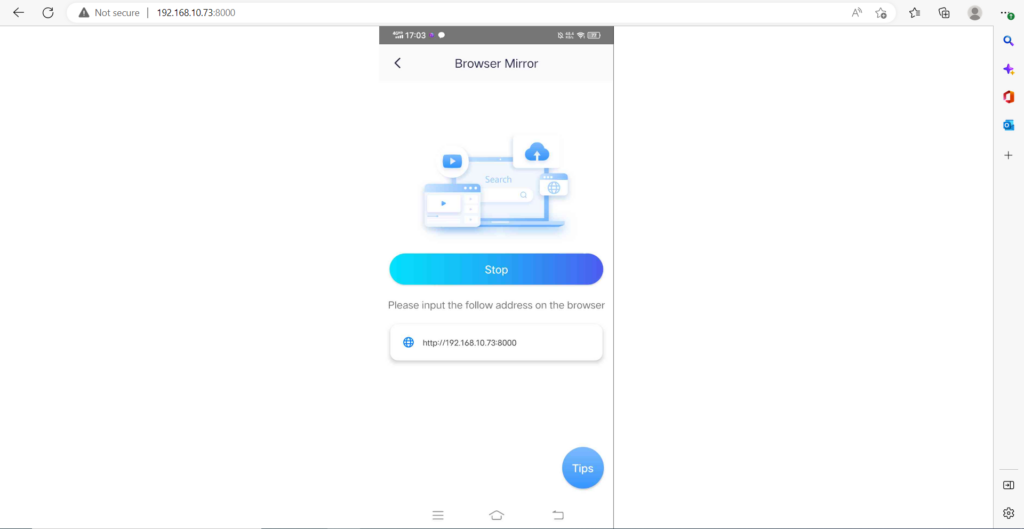
Enter the displayed URL in your web browser to mirror the screen (Chrome is recommended).
Note: This mode supports screen mirroring only, without sound.
1001 TVs अभी डाउनलोड करें
📱 एंड्रॉइड संस्करण: Google Play से डाउनलोड करें