
(Android) How to Disable Audio Casting by Default in 1001 TVs
If you don’t want sound to be cast every time you mirror your screen, or if you’re tired of manually turning off “Audio Casting,” this quick guide will show you how to disable audio casting by default in 1टीपी1टी.
Follow these three simple steps:
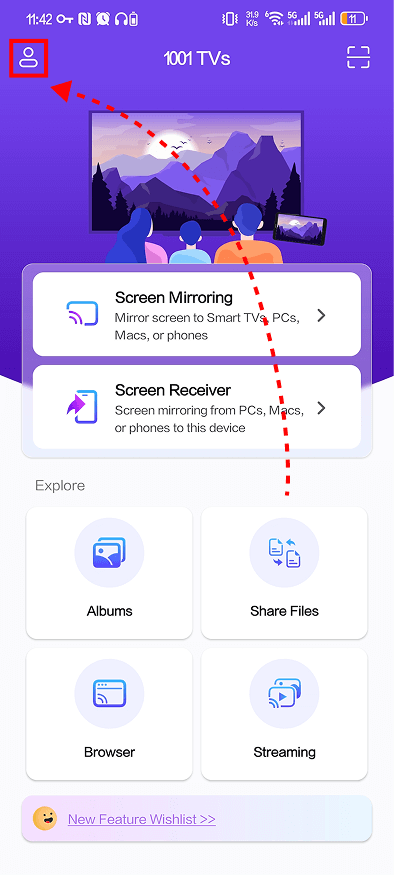
❶ Open the 1001 TVs app and tap the icon in the top-left corner.
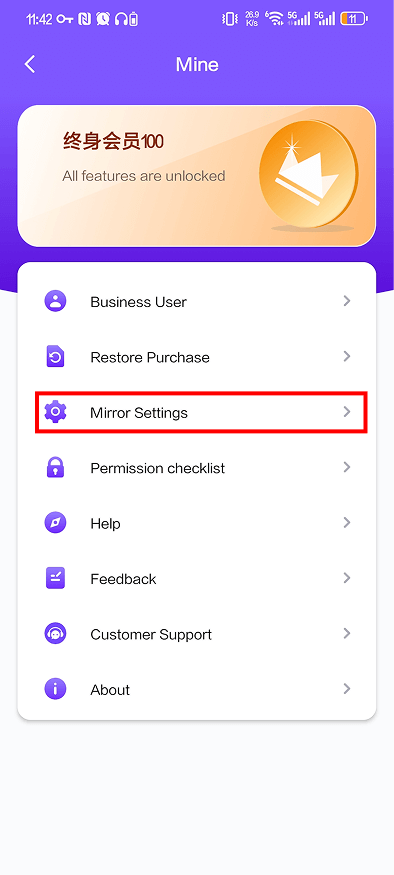
❷ On the “Mine” page, tap मिरर सेटिंग्स.
❸ Turn off Auto enable sound.
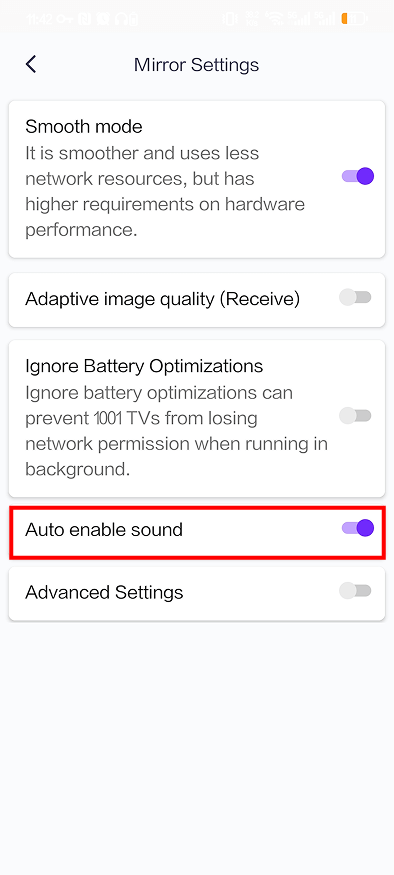
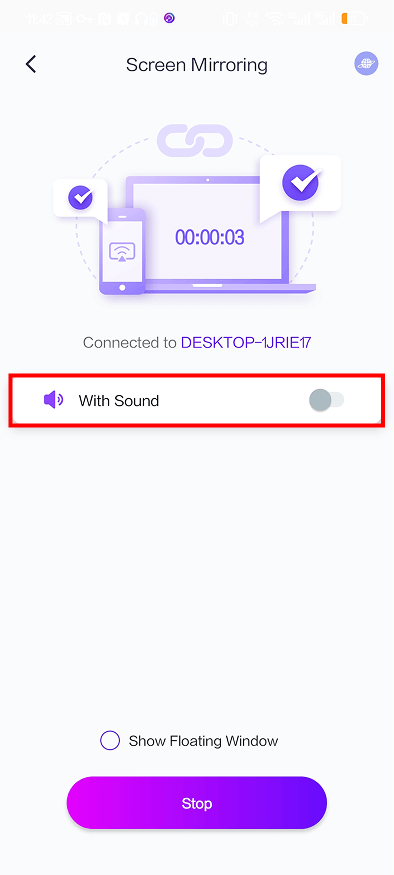
Once it’s turned off, audio casting will remain disabled by default the next time you cast. You won’t need to manually turn it off every time anymore.
More Tips
You can find more screen mirroring tutorials for 1001 TVs here:
👉 https://www.1001tvs.com/guidance/