Πώς να διορθώσετε τα ξεθωριασμένα χρώματα κατά την προβολή της οθόνης του κινητού στον υπολογιστή

Recently, some users have reported that after mirroring their phone screen to a PC, the image appears noticeably grey and washed out.
Our investigation shows that this is most likely caused by a mismatch in the graphics card’s color range settings. iOS and macOS devices typically output color using the Full Range (0–255), while traditional Windows PCs and certain video content are often set to use the Limited Range (16–235). As a result, a pure white color (#FFFFFF) from the phone is interpreted incorrectly on the PC, displaying as a dull, off-white shade.
How to fix it:
For AMD Graphics Cards:
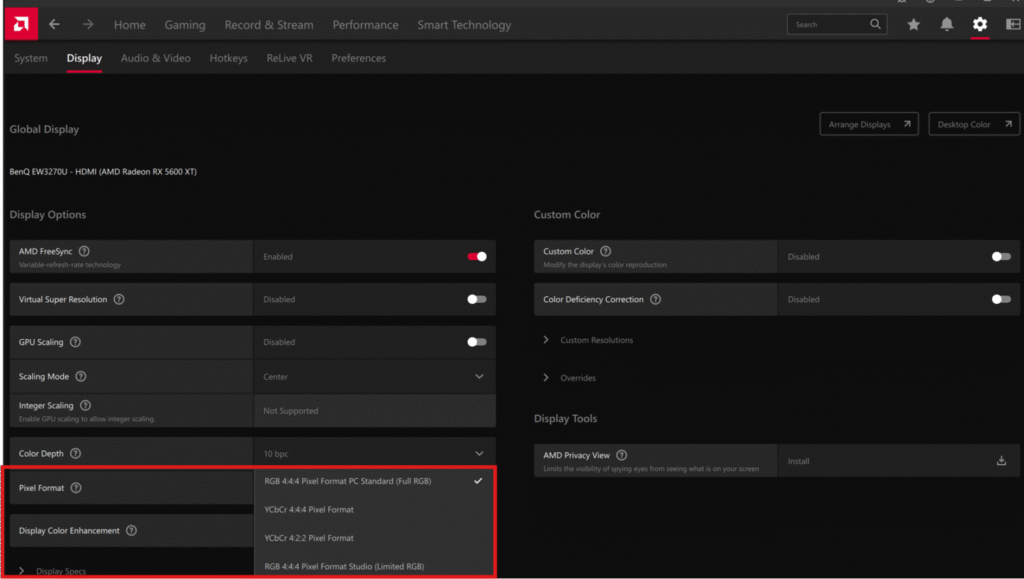
- Open the AMD Radeon Software control panel.
- Πηγαίνετε στο Εμφάνιση καρτέλα.
- Look for the Pixel Format option and change it to “RGB 4:4:4 Pixel Format PC Standard (Full RGB)”.
- Apply the changes, and the issue should be resolved.
For NVIDIA Graphics Cards:
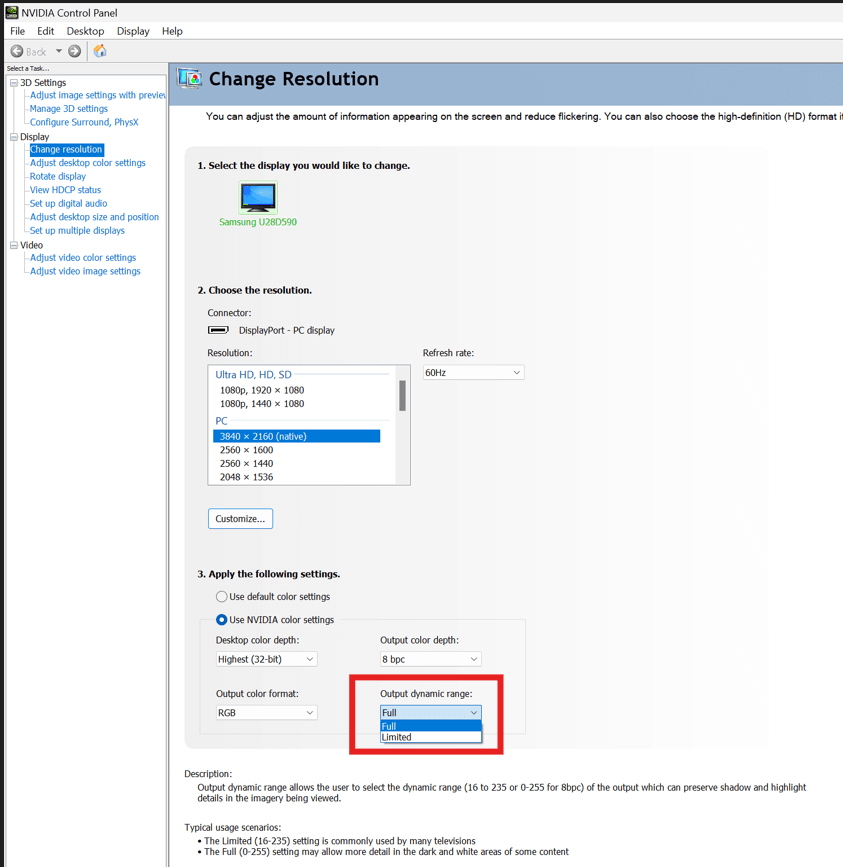
- Open the NVIDIA Control Panel.
- Πηγαίνετε στο Εμφάνιση > Change Resolution.
- Find the Output Dynamic Range option and change it to Πλήρης.
For Intel Graphics Cards:
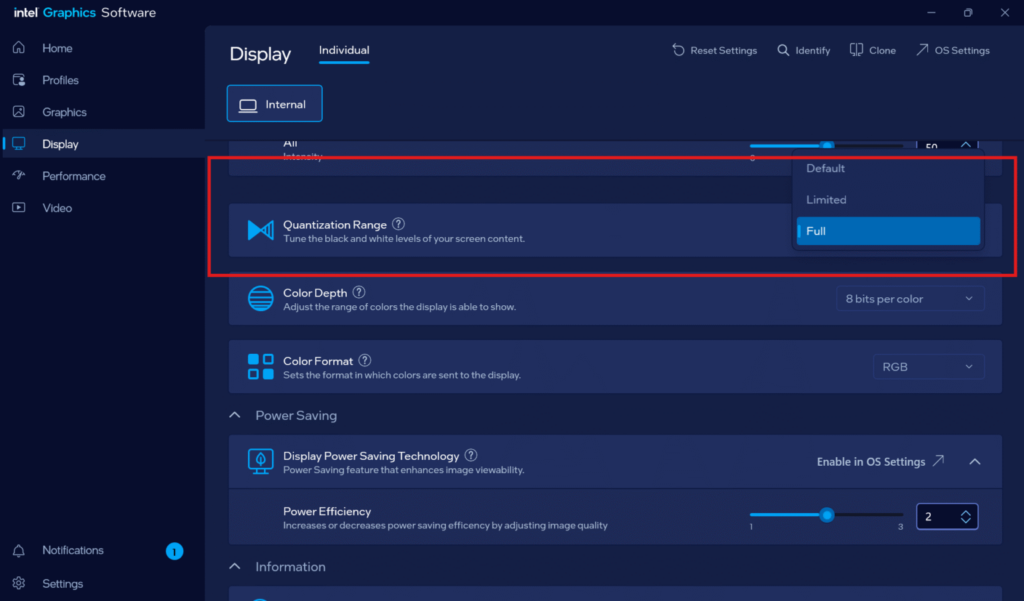
- Open the Intel Graphics Software.
- Πηγαίνετε στο Εμφάνιση τμήμα.
- Find the Quantization Range option and change it to Πλήρης.