
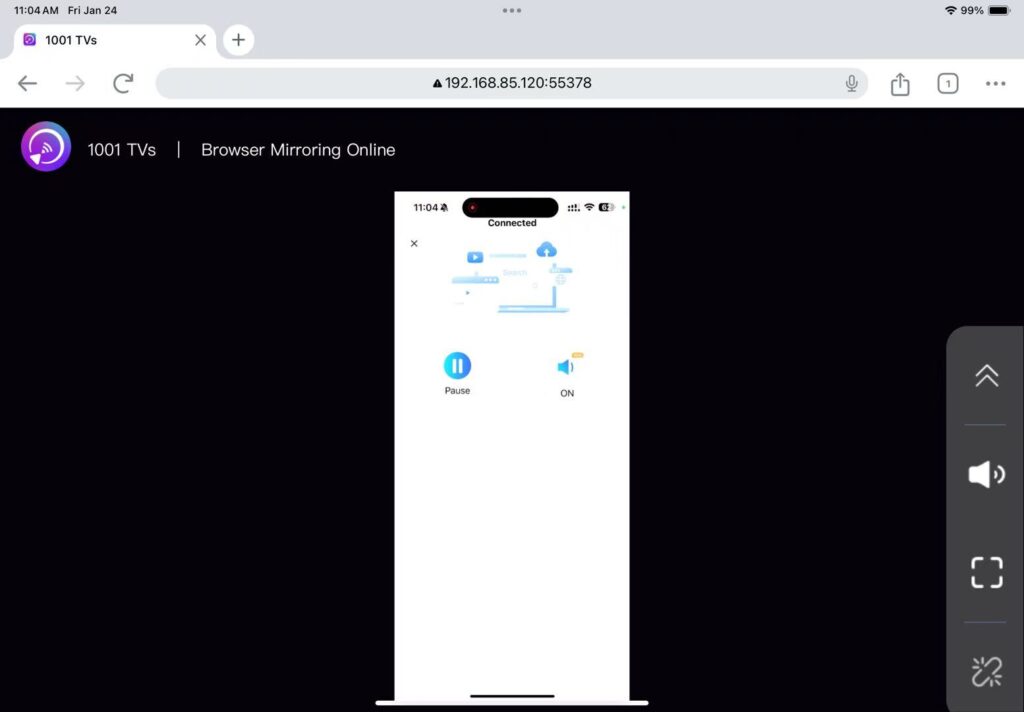
[टैबलेट iOS] iPad ब्राउज़र (क्रोम) पर स्क्रीन मिरर कैसे करें
1.एक ही वाई-फाई से कनेक्ट करें:
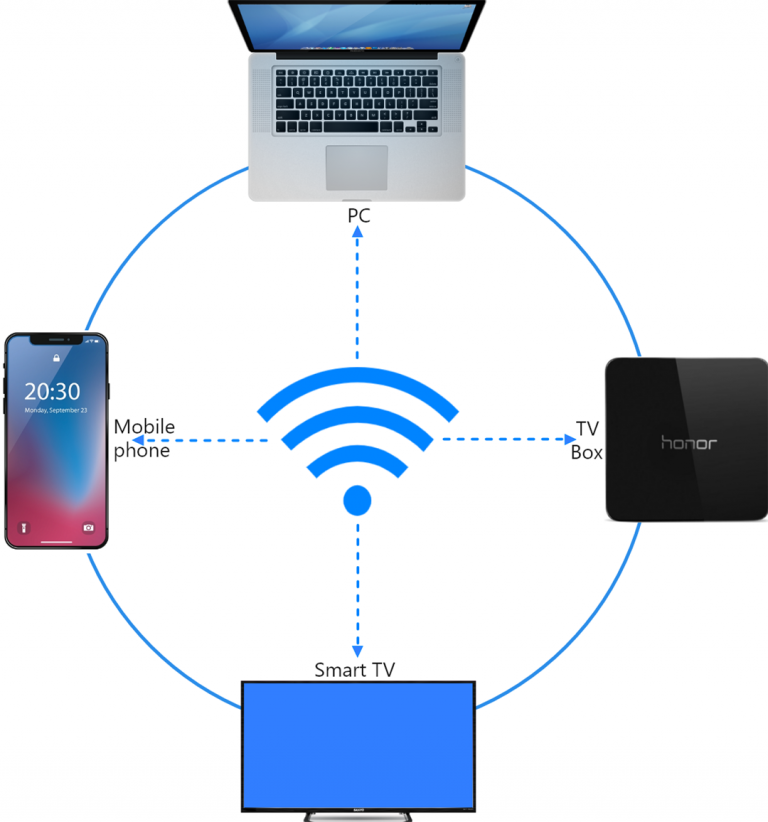
सुनिश्चित करें कि आपका फ़ोन और iPad दोनों एक ही वाई-फ़ाई नेटवर्क से कनेक्ट हों। (सर्वोत्तम प्रदर्शन के लिए 5G बैंड वाई-फ़ाई कनेक्शन की अनुशंसा की जाती है।)
2. 1001 TVs इंस्टॉल करें और खोलें
अपने फोन की स्क्रीन को ब्राउज़र पर मिरर करने के लिए, आपको बस इतना करना है: 1टीपी1टी आपके फोन पर ऐप।.
📱 iOS संस्करण: ऐप स्टोर से डाउनलोड करें
📱 एंड्रॉइड संस्करण: Google Play से डाउनलोड करें
3. स्क्रीन मिररिंग
एंड्रॉयड के लिए:
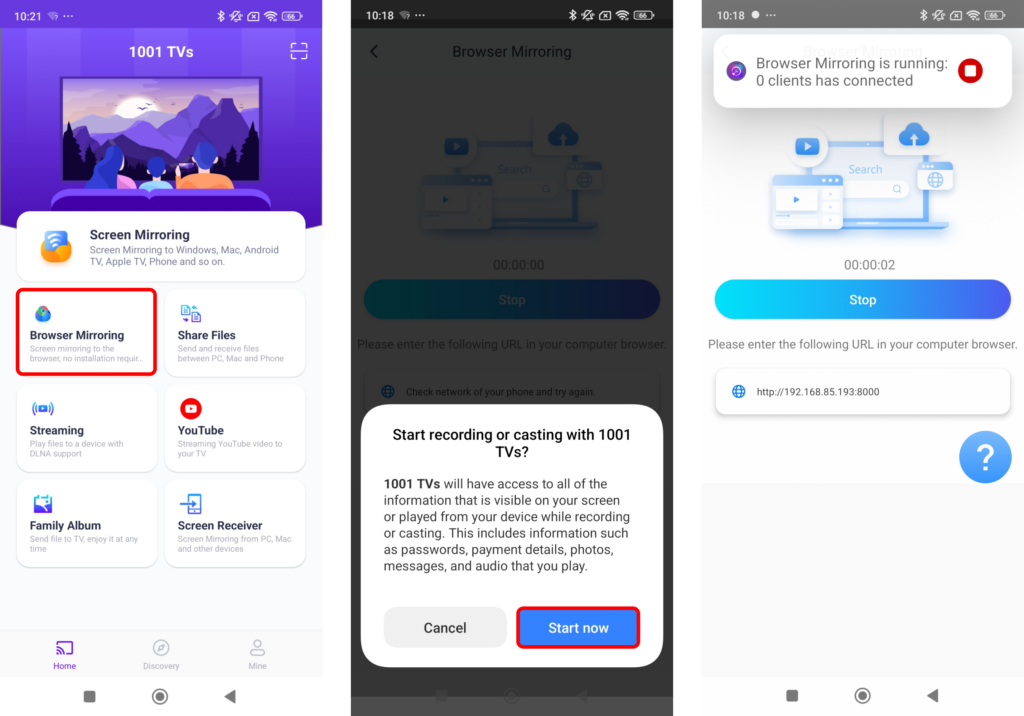
नल "“ब्राउज़र मिररिंग”होमपेज पर "" दिखाई दे रहा है। आवश्यक अनुमतियाँ प्रदान करें।.
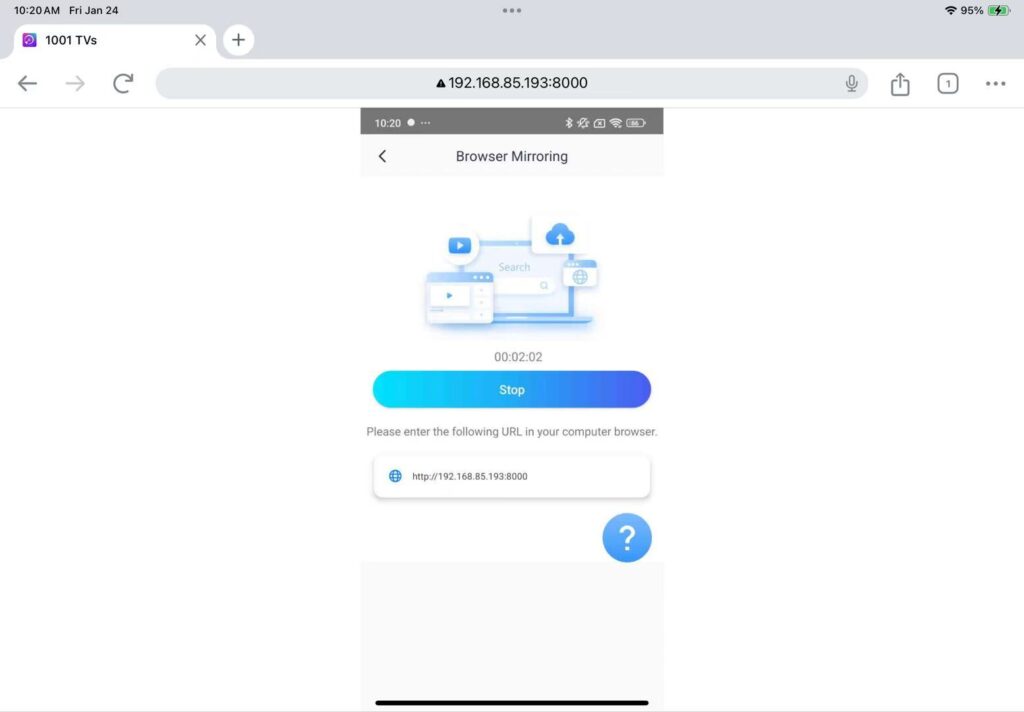
स्क्रीन को मिरर करने के लिए प्रदर्शित यूआरएल को अपने वेब ब्राउज़र में दर्ज करें (क्रोम ब्राउज़र का उपयोग करने की सलाह दी जाती है)।.
नोट: यह मोड केवल स्क्रीन मिररिंग को सपोर्ट करता है, इसमें ध्वनि शामिल नहीं है।.
iOS के लिए:
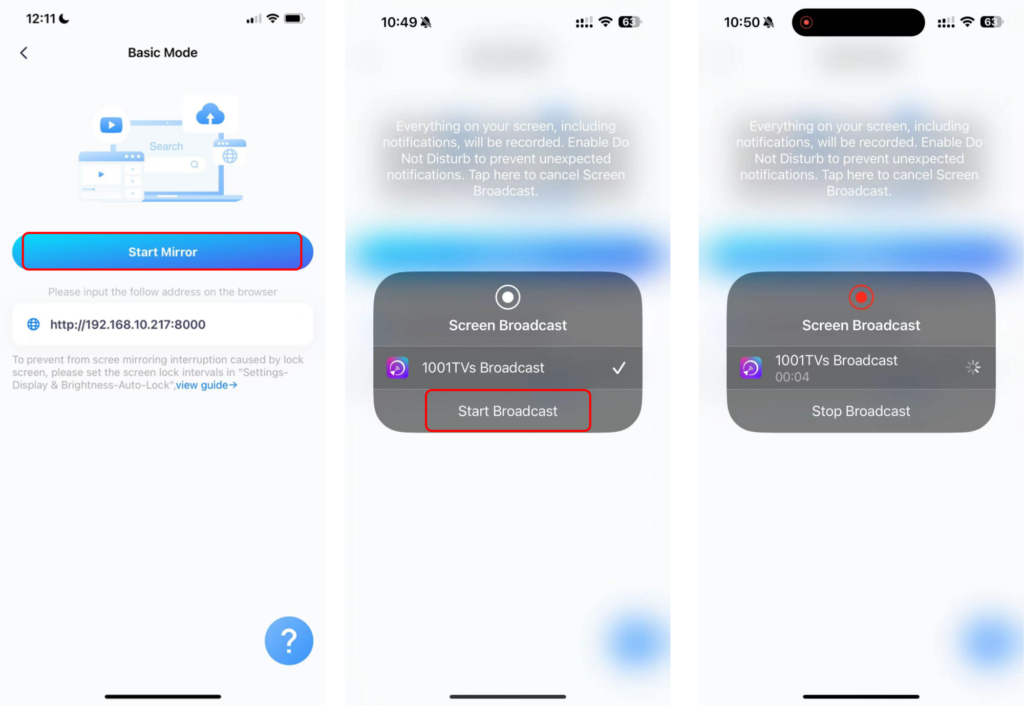
नल "“ब्राउज़र मिररr” और इनमें से चुनें बुनियादी मोड (कोई आवाज़ नहीं) या प्रो मोड (ध्वनि सहित)।.
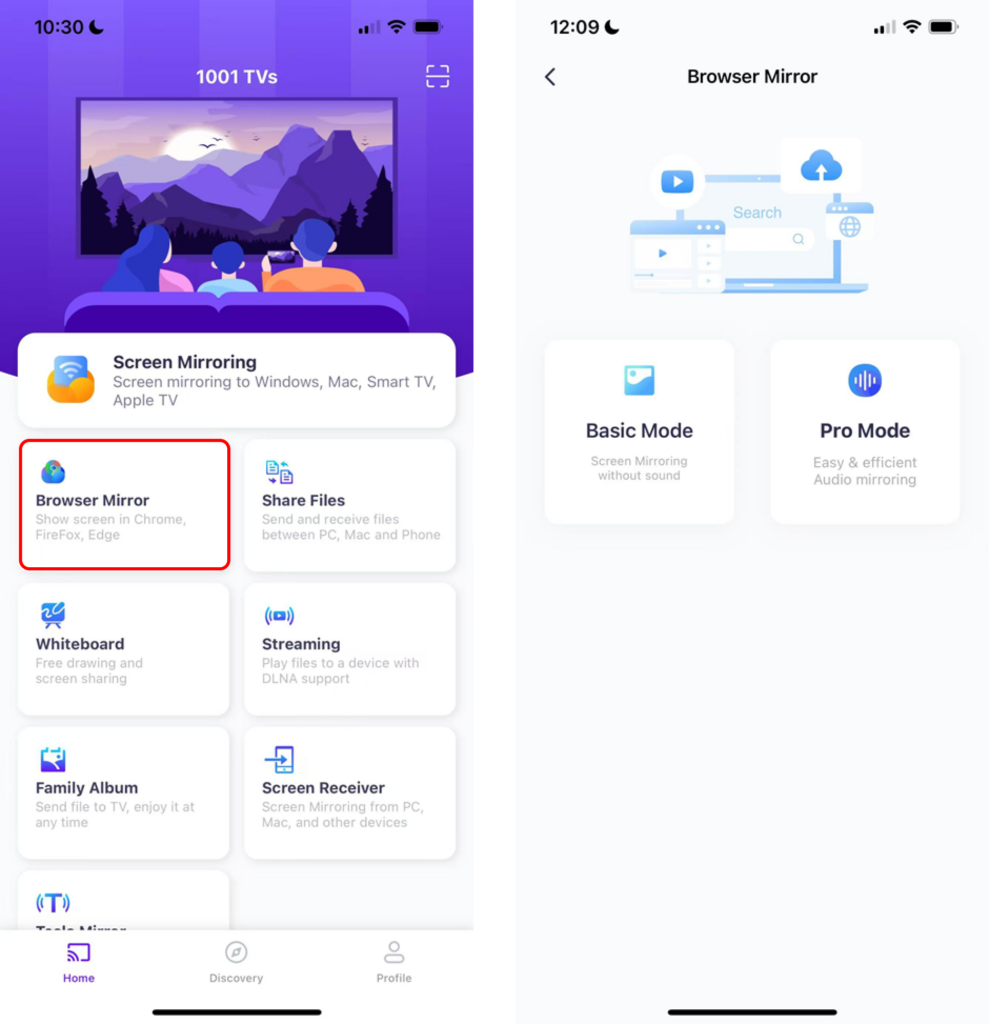
बेसिक मोड:
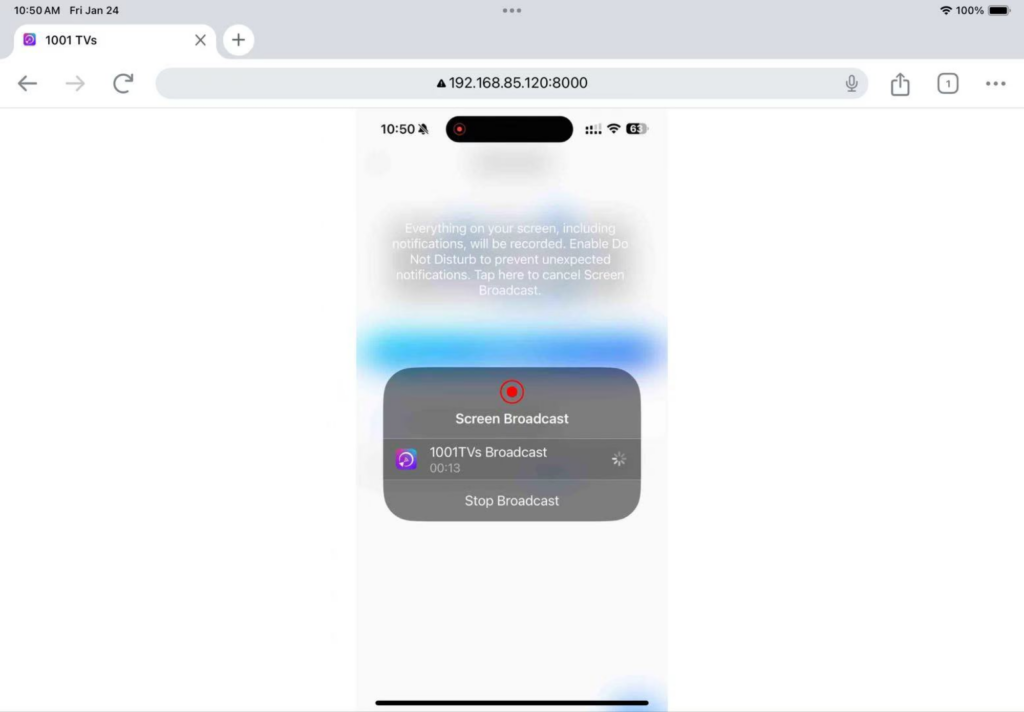
· अपने फोन पर प्रदर्शित आईपी एड्रेस को ब्राउज़र में दर्ज करें।.
· नल "“मिरर शुरू करें” ➜ “प्रसारण शुरू करें”तीन सेकंड की उलटी गिनती के बाद, आपकी स्क्रीन ब्राउज़र पर दिखाई देगी।.
प्रो मोड:
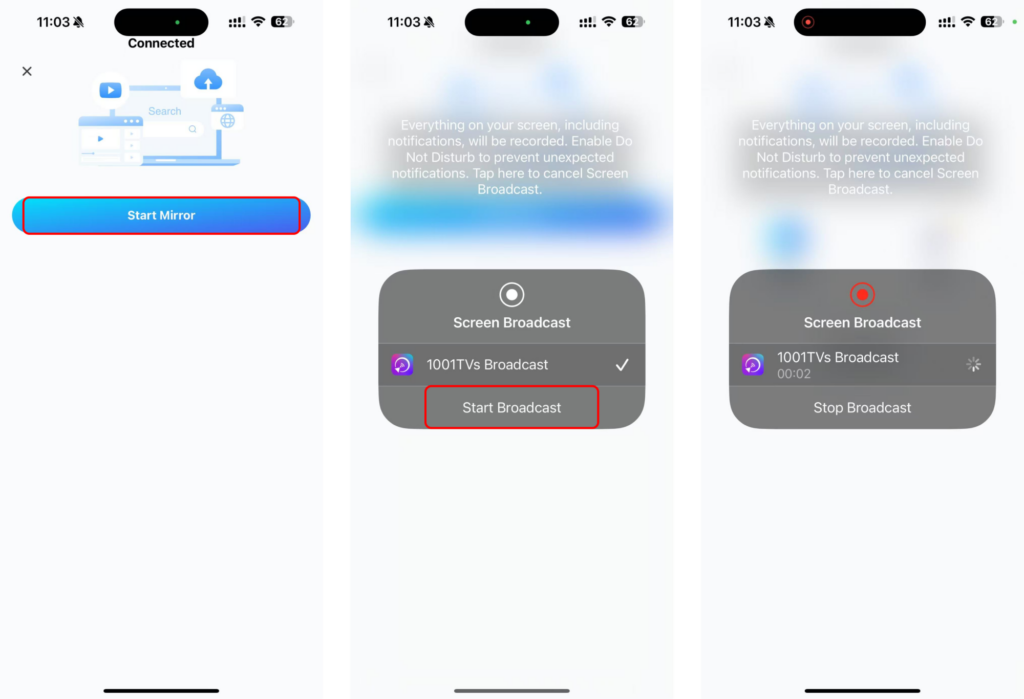
· अपने फोन पर प्रदर्शित यूआरएल को ब्राउज़र में दर्ज करें (क्रोम ब्राउज़र का उपयोग करने की सलाह दी जाती है)।.
· "स्कैन" पर टैप करें और अपने फोन का उपयोग करके ब्राउज़र पेज पर दिखाए गए क्यूआर कोड को स्कैन करें।.
· कनेक्ट होने के बाद, “ पर टैप करें“मिरर शुरू करेंआर” ➜ “प्रसारण शुरू करें”
एडवांस्ड मोड में ऑडियो चालू करने के लिए:
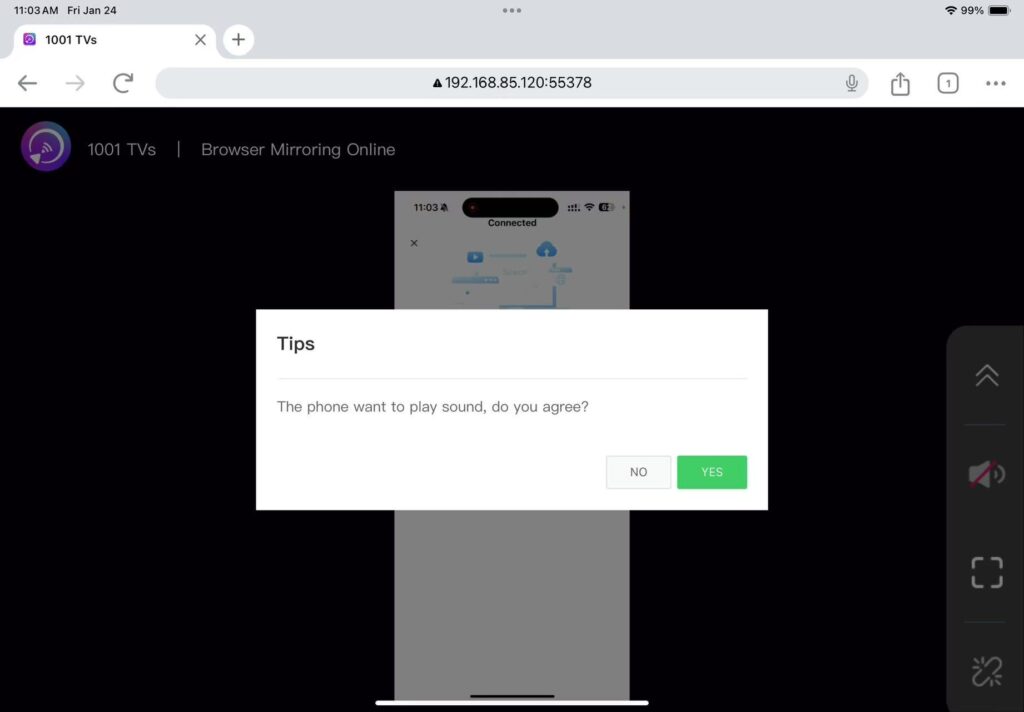
· अपने फोन पर आवाज़ चालू करें।.
· क्लिक करें“हाँ”ध्वनि बजाना शुरू करने के लिए ब्राउज़र पेज पर "" दबाएं।.
बस इतना ही! अब आप अपने ब्राउज़र से ही ऑडियो के साथ या बिना ऑडियो के, स्क्रीन मिररिंग का आनंद ले सकते हैं।.
1001 TVs अभी डाउनलोड करें
📱 iOS संस्करण: ऐप स्टोर से डाउनलोड करें
📱 एंड्रॉइड संस्करण: Google Play से डाउनलोड करें