
पीसी के लिए सर्वश्रेष्ठ स्क्रीन मिररिंग ऐप्स
क्या आप अपने पीसी की स्क्रीन को टीवी, फोन, टैबलेट या किसी अन्य कंप्यूटर के साथ साझा करना चाहते हैं? चाहे आप फिल्म देख रहे हों, प्रेजेंटेशन दे रहे हों, गेम खेल रहे हों या घर से काम कर रहे हों, सही स्क्रीन मिररिंग ऐप सब कुछ आसान बना सकता है और स्क्रीन को बेहतर दिखा सकता है।.
इस गाइड में, हमने निम्नलिखित को चुना है: पीसी के लिए सर्वश्रेष्ठ स्क्रीन मिररिंग ऐप्स. ये इस्तेमाल करने में आसान हैं, सुचारू रूप से चलते हैं और रिमोट कंट्रोल और मल्टी-डिवाइस सपोर्ट जैसी उपयोगी सुविधाओं के साथ आते हैं। आइए एक नज़र डालते हैं और आपके लिए सबसे उपयुक्त डिवाइस ढूंढते हैं।🖥️✨
1️⃣ अपॉवरमिरर ⭐ 4/5
ApowerMirror एक है बहुमुखी वायरलेस स्क्रीन मिररिंग ऐप यह आपको अपने पीसी को स्मार्ट टीवी या अन्य मोबाइल उपकरणों पर उच्च गुणवत्ता में कास्ट करने की सुविधा देता है। चाहे आप प्रेजेंटेशन दे रहे हों, स्ट्रीमिंग कर रहे हों या गेम खेल रहे हों, ApowerMirror शक्तिशाली अतिरिक्त सुविधाओं के साथ एक सहज अनुभव प्रदान करता है।.
🥳 फायदे:
👍क्रॉस-प्लेटफ़ॉर्म संगतता
👍आसान सेटअप
👍इंस्टेंट मिररिंग – फ़ोटो, वीडियो, ऐप्स या अपनी पूरी स्क्रीन को कास्ट करें।.
🥺 कमियां:
👎स्थिर इंटरनेट कनेक्शन आवश्यक है
👎कुछ सुविधाएं प्रीमियम हैं
2️⃣ लेट्सव्यू ⭐ 3.5/5
लेट्सव्यू एक है मुफ़्त, उच्च-गुणवत्ता वाला स्क्रीन मिररिंग ऐप यह आपको अपने फ़ोन की स्क्रीन को अपने मैक पर आसानी से कास्ट करने की सुविधा देता है। चाहे आप स्ट्रीमिंग कर रहे हों, प्रेजेंटेशन दे रहे हों या गेम खेल रहे हों, LetsView एक सहज और निर्बाध अनुभव प्रदान करता है। अपने डिवाइस को जल्दी से कनेक्ट करें। क्यूआर कोड स्कैनिंग या पासकी प्रविष्टि. बस यह सुनिश्चित कर लें कि दोनों डिवाइस एक ही वाई-फाई नेटवर्क पर हों, और फिर आप इसका इस्तेमाल कर सकते हैं!
🥳 फायदे:
👍क्रॉस-प्लेटफ़ॉर्म स्क्रीन मिररिंग क्षमता
👍विज्ञापन-मुक्त
👍स्क्रीन एक्सटेंशन फ़ीचर शामिल है
🥺 कमियां:
👎कभी-कभी लैग होता है या क्रैश हो जाता है
3️⃣ 1टीपी1टी ⭐ 4.5/5
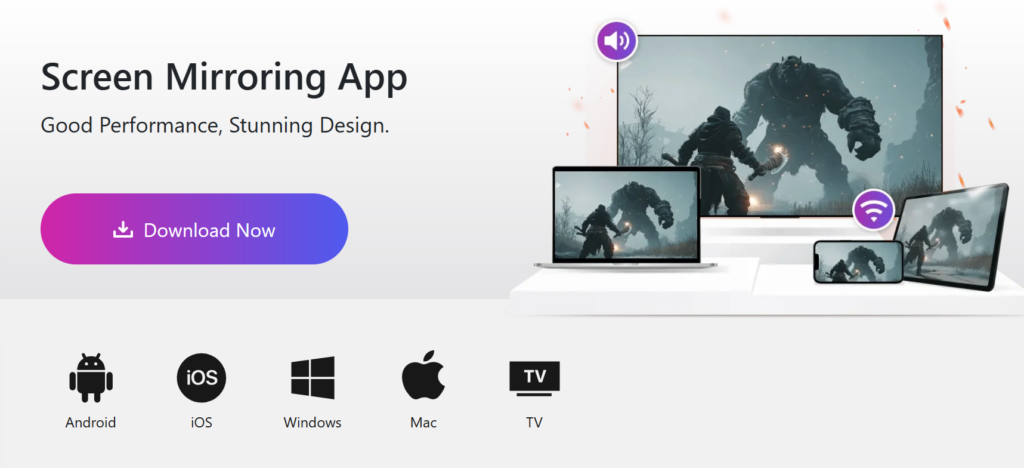
1001 TVs आपका बेहतरीन स्क्रीन मिररिंग टूल है, जिसे आपके सभी डिवाइसों पर स्क्रीन शेयरिंग को आसान बनाने के लिए डिज़ाइन किया गया है। अगर अन्य कास्टिंग ऐप्स आपकी ज़रूरतों को पूरा नहीं कर पाए हैं, तो 1001 TVs को आज़माएँ—यह सरल, अधिक स्थिर और शक्तिशाली सुविधाओं से भरपूर है। चाहे आप स्पोर्ट्स मैच स्ट्रीम कर रहे हों, बड़ी स्क्रीन पर गेम खेल रहे हों, पारिवारिक तस्वीरें शेयर कर रहे हों, मूवी नाइट का आनंद ले रहे हों या प्रोफेशनल प्रेजेंटेशन दे रहे हों, 1001 TVs आपके लिए सब कुछ उपलब्ध कराता है।.
🥳 फायदे:
👍क्रॉस-प्लेटफ़ॉर्म समर्थन: विंडोज, मैक, आईओएस, एंड्रॉइड, स्मार्ट टीवी और ऐप्पल टीवी।.
👍मिरर सिंगल ऐप
👍तेज़ फ़ाइल स्थानांतरण
👍न्यूनतम लैग और आसान सेटअप
👍वर्टिकल स्क्रीन मिररिंग सपोर्ट
4️⃣ एयरड्रॉइड कास्ट ⭐ 4/5
AirDroid Cast एक है बहुमुखी क्रॉस-प्लेटफ़ॉर्म स्क्रीन मिररिंग ऐप यह iOS, Windows और Mac पर निर्बाध स्क्रीन शेयरिंग की सुविधा देता है। चाहे आप प्रेजेंटेशन दे रहे हों, गेम खेल रहे हों या दूर से सहयोग कर रहे हों, AirDroid Cast की मदद से आप आसानी से अपनी स्क्रीन को मिरर कर सकते हैं। एक साथ पांच स्क्रीन और आप अपने कंप्यूटर से मोबाइल डिवाइस को भी नियंत्रित कर सकते हैं।.
🥳 फायदे:
👍कंप्यूटर पर मोबाइल डिवाइस को नियंत्रित करें
👍रिमोट नेटवर्क के साथ काम करें
👍एक ही कंप्यूटर पर कई स्क्रीन का उपयोग
🥺 कमियां:
👎वीडियो फ़ीड में लैग है
5️⃣ यूएसबी स्क्रीन मिररिंग ⭐ 3/5
वाईफाई या 4G/5G के ज़रिए अपने iPhone, iPad, Android, Windows, Mac और Chromebook की स्क्रीन को रियल-टाइम HD में कास्ट करें। स्क्रीन मिररिंग ऐप आपकी पूरी स्क्रीन को मिरर करता है, जिसमें फ़ोटो, वीडियो, ऐप्स, गेम्स, वेबसाइट और दस्तावेज़ शामिल हैं।.
चाहे आप प्रेजेंटेशन दे रहे हों, गेम खेल रहे हों या पारिवारिक तस्वीरें साझा कर रहे हों, यह ऐप स्क्रीन मिररिंग को आसान बनाता है। सरल और परेशानी मुक्त. यह सभी प्रमुख ब्रांडों (सैमसंग, एलजी, फिलिप्स, आदि) के साथ काम करता है, बशर्ते आपके डिवाइस सही ऑपरेटिंग सिस्टम पर हों। एक ही वाई-फाई नेटवर्क (वीपीएन और प्रॉक्सी बंद कर देने चाहिए)।.
🥳 फायदे:
👍किसी टीवी ऐप की आवश्यकता नहीं है
👍कोई छिपी हुई सदस्यता या लागत नहीं
👍यह किसी भी डिवाइस के साथ काम करता है: स्मार्ट टीवी, मैक, पीसी, लैपटॉप, गेमिंग कंसोल, स्मार्टफोन या टैबलेट।
👍कुछ भी स्ट्रीम करें: फ़ोटो, वीडियो, ऐप्स, वेबसाइटें, प्रस्तुतियाँ और गेम
🥺 कमियां:
👎उपयोग करने के लिए वीपीएन को अक्षम करना आवश्यक है
👎ध्वनि अभी समर्थित नहीं है